• English
  • Afghanistan(USD $)
  • Aland lslands(EUR €)
  • Albania(ALL L)
  • Algeria(DZD د.ج)
  • American Samoa(USD $)
  • Andorra(EUR €)
  • Angola(USD $)
  • Anguilla(XCD $)
  • Antigua and Barbuda(XCD $)
  • Argentina(USD $)
  • Armenia(AMD Դ)
  • Aruba(AWG ƒ)
  • Ascension Island(SHP £)
  • Australia(AUD AU$)
  • Austria(EUR €)
  • Azerbaijan(AZN ман)
  • Bahamas(BSD BSD)
  • Bahrain(BHD .د.ب)
  • Bangladesh(BDT ৳)
  • Barbados(BBD BBD)
  • Belarus(USD $)
  • Belgium(EUR €)
  • Belize(BZD Be)
  • Benin(XOF Fr)
  • Bermuda(BMD BD$)
  • Bhutan(BTN Nu.)
  • Bolivia(BOB Bs.)
  • Bosnia and Herzegovina(BAM КМ)
  • Botswana(BWP P)
  • Brazil(USD $)
  • British Indian Ocean Territory(USD $)
  • Brunei(BND B$)
  • Bulgaria(BGN лв)
  • Burkina Faso(XOF Fr)
  • Burundi(BIF ₣)
  • Cambodia(KHR ៛)
  • Cameroon(XAF ₣)
  • Canada(CAD $)
  • Cape Verde(CVE $)
  • Cayman Islands(KYD $)
  • Central African Republic(XAF ₣)
  • Chad(XAF ₣)
  • Chile(USD $)
  • China(CNY ¥)
  • Christmas Island(AUD AU$)
  • Cocos(Keeling)Islands(AUD AU$)
  • Colombia(USD $)
  • Comoros(KMF Fr)
  • Congo(XAF ₣)
  • Congo(DRC)(CDF ₣)
  • Cook Islands(NZD $)
  • Costa Rica(CRC ₡)
  • Cote d'Ivoire(XOF Fr)
  • Croatia(EUR €)
  • Cyprus(EUR €)
  • Czech Republic(CZK Kč)
  • Denmark(DKK kr)
  • Djibouti(DJF ₣)
  • Dominica(XCD $)
  • Dominican Republic(DOP $)
  • Ecuador(USD $)
  • Egypt(EGP E£)
  • El Salvador(USD $)
  • Equatorial Guinea(XAF ₣)
  • Eritrea(ERN Nfk)
  • Estonia(EUR €)
  • Ethiopia(ETB Br)
  • Faroe Islands(DKK kr)
  • Fiji Islands(FJD FJ$)
  • Finland(EUR €)
  • France(EUR €)
  • French Guiana(EUR €)
  • French Polynesia(XPF ₣)
  • Gabon(XOF Fr)
  • Gambia(GMD D)
  • Georgia(USD $)
  • Germany(EUR €)
  • Ghana(GHS ₵)
  • Gibraltar(GBP £)
  • Greece(EUR €)
  • Greenland(DKK kr)
  • Grenada(XCD $)
  • Guadeloupe(EUR €)
  • Guam(USD $)
  • Guatemala(GTQ Q)
  • Guernsey(GBP £)
  • Guinea(GNF ₣)
  • Guinea-Bissau(XOF Fr)
  • Guyana(GYD $)
  • Haiti(USD $)
  • Heard Island and McDonald Islands(AUD AU$)
  • Honduras(HNL L)
  • Hong Kong SAR(HKD HK$)
  • Hungary(HUF Ft)
  • Iceland(ISK Kr)
  • India(INR ₹)
  • Indonesia(IDR Rp)
  • Iraq(USD $)
  • Ireland(EUR €)
  • Isle of Man(GBP £)
  • Israel(ILS ₪)
  • Italy(EUR €)
  • Jamaica(JMD $)
  • Japan(JPY ¥)
  • Jersey(GBP £)
  • Jordan(USD $)
  • Kazakhstan(KZT 〒)
  • Kenya(KES Sh)
  • Kiribati(AUD AU$)
  • Korea(KRW ₩)
  • Kuwait(KWD دينار)
  • Kyrgyzstan(KGS С̲)
  • Laos(LAK ₭)
  • Latvia(EUR €)
  • Lebanon(LBP ل.ل)
  • Lesotho(USD $)
  • Liberia(USD $)
  • Libya(USD $)
  • Liechtenstein(CHF ₣)
  • Lithuania(EUR €)
  • Luxembourg(EUR €)
  • Macao SAR(MOP P)
  • Macedonia,Former Yugoslav Republic of(MKD ден)
  • Madagascar(USD $)
  • Malawi(MWK MK)
  • Malaysia(MYR RM)
  • Maldives(MVR ރ.)
  • Mali(XOF Fr)
  • Malta(EUR €)
  • Marshall Islands(USD $)
  • Martinique(EUR €)
  • Mauritania(USD $)
  • Mauritius(MUR ₨)
  • Mayotte(EUR €)
  • Mexico(USD $)
  • Micronesia(USD $)
  • Moldova(MDL L)
  • Monaco(EUR €)
  • Mongolia(MNT ₮)
  • Montenegro(EUR €)
  • Montserrat(XCD $)
  • Morocco(MAD د.م.)
  • Mozambique(USD $)
  • Myanmar(MMK K)
  • Namibia(USD $)
  • Nauru(AUD AU$)
  • Nepal(NPR ₨)
  • Netherlands(EUR €)
  • Netherlands Antilles(USD $)
  • New Caledonia(XPF ₣)
  • New Zealand(NZD $)
  • Nicaragua(NIO C$)
  • Niger(XOF Fr)
  • Nigeria(NGN ₦)
  • Niue(NZD $)
  • Norfolk Island(AUD AU$)
  • Northern Mariana Islands(USD $)
  • Norway(USD $)
  • Oman(OMR ر.ع.)
  • Pakistan(PKR ₨)
  • Palau(USD $)
  • Palestinian Authority(ILS ₪)
  • Panama(USD $)
  • Papua New Guinea(PGK K)
  • Paraguay(PYG ₲)
  • Peru(PEN S/)
  • Philippines(PHP ₱)
  • Pitcairn Islands(NZD $)
  • Poland(PLN zł)
  • Portugal(EUR €)
  • Puerto Rico(USD $)
  • Qatar(QAR ر.ق)
  • Reunion(EUR €)
  • Romania(RON L)
  • Russia(USD $)
  • Rwanda(RWF ₣)
  • Samoa(WST T)
  • San Marino(EUR €)
  • Sao Tome and Principe(USD $)
  • Saudi Arabia(SAR ر.س)
  • Senegal(XOF Fr)
  • Serbia(RSD din)
  • Seychelles(USD $)
  • Sierra Leone(SLL Le)
  • Singapore(SGD S$)
  • Slovakia(EUR €)
  • Slovenia(EUR €)
  • Solomon Islands(SBD Si$)
  • Somalia(SOS Sh)
  • South Africa(USD $)
  • Spain(EUR €)
  • Sri Lanka(LKR Rs)
  • St. Martin (French part)(EUR €)
  • St.Helena(SHP £)
  • St.Kitts and Nevis(XCD $)
  • St.Lucia(XCD $)
  • St.Pierre and Miquelon(EUR €)
  • St.Vincent and the Grenadines(XCD $)
  • Sudan(SDG ج.س.)
  • Suriname(USD $)
  • Svalbard and Jan Mayen(USD $)
  • Swaziland(USD $)
  • Sweden(SEK kr)
  • Switzerland(CHF ₣)
  • Taiwan(TWD NT$)
  • Tajikistan(TJS ЅМ)
  • Tanzania(TZS Sh)
  • Thailand(THB ฿)
  • Timor-Leste(USD $)
  • Togo(XOF Fr)
  • Tokelau(NZD $)
  • Tonga(TOP T$)
  • Trinidad and Tobago(TTD TTD)
  • Tristan da Cunha(GBP £)
  • Tunisia(USD $)
  • Turkey(USD $)
  • Turkmenistan(TMT m)
  • Turks and Caicos Islands(USD $)
  • Tuvalu(AUD AU$)
  • Uganda(UGX Sh)
  • Ukraine(UAH ₴)
  • United Arab Emirates(AED د.إ)
  • United Kingdom(GBP £)
  • United States(USD $)
  • United States Minor Outlying Islands(USD $)
  • Uruguay(UYU $)
  • Uzbekistan(UZS лв)
  • Vanuatu(VUV Vt)
  • Vatican City(EUR €)
  • Venezuela(USD $)
  • Vietnam(VND ₫)
  • Virgin Islands(USD $)
  • Virgin Islands,British(USD $)
  • Wallis and Futuna(XPF ₣)
  • Western Sahara(MAD د.م.)
  • Yemen(YER ﷼)
  • Zambia(USD $)
  • Zimbabwe(USD $)
Chat With Us
We offer 24-hour chat support
Chat With Us
We offer 24-hour chat support
Added to your cart
Subtotal
Discount
Discount
Cart subtotal
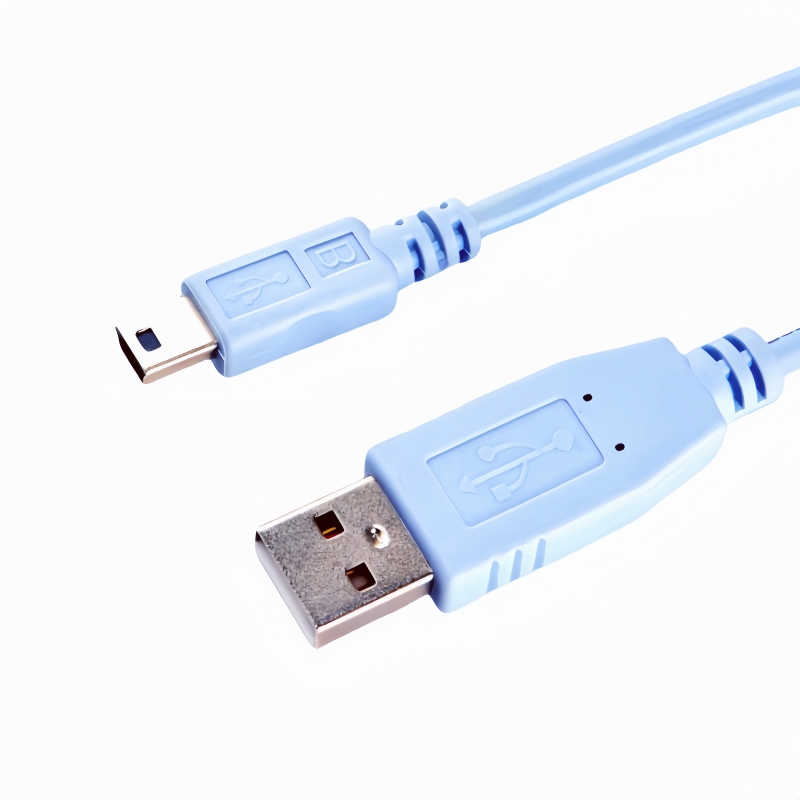
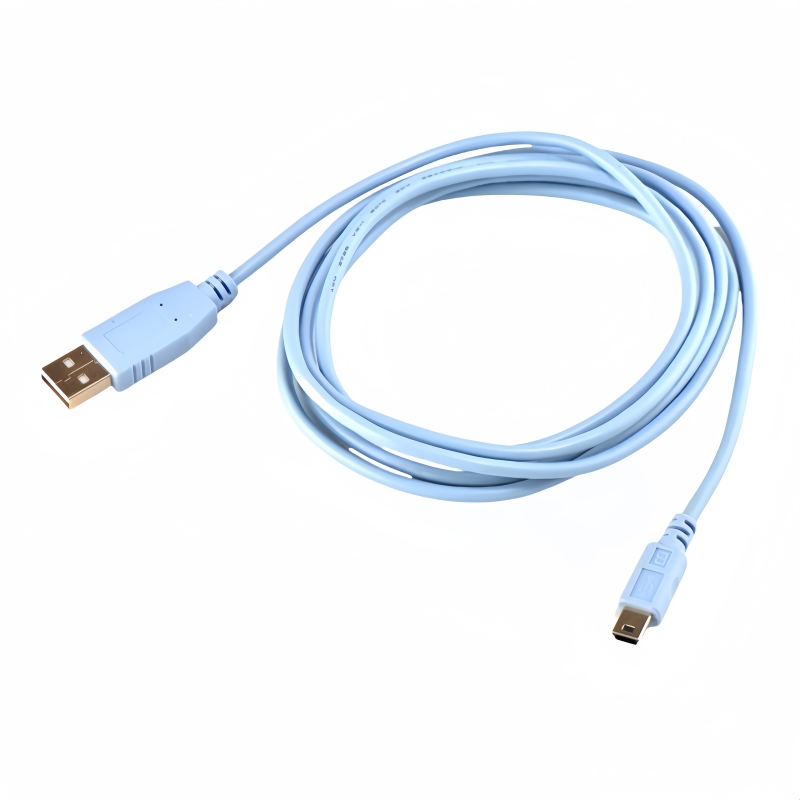
Cisco CAB-CONSOLE-USB USB A to Mini-B Rollover Console Cable 6ft,Light Blue -PINOWELL

Cisco Mini USB Console Cable USB A to Mini-B Switch Cable | PINOWELL

PNW-CABCONSOLE-USB
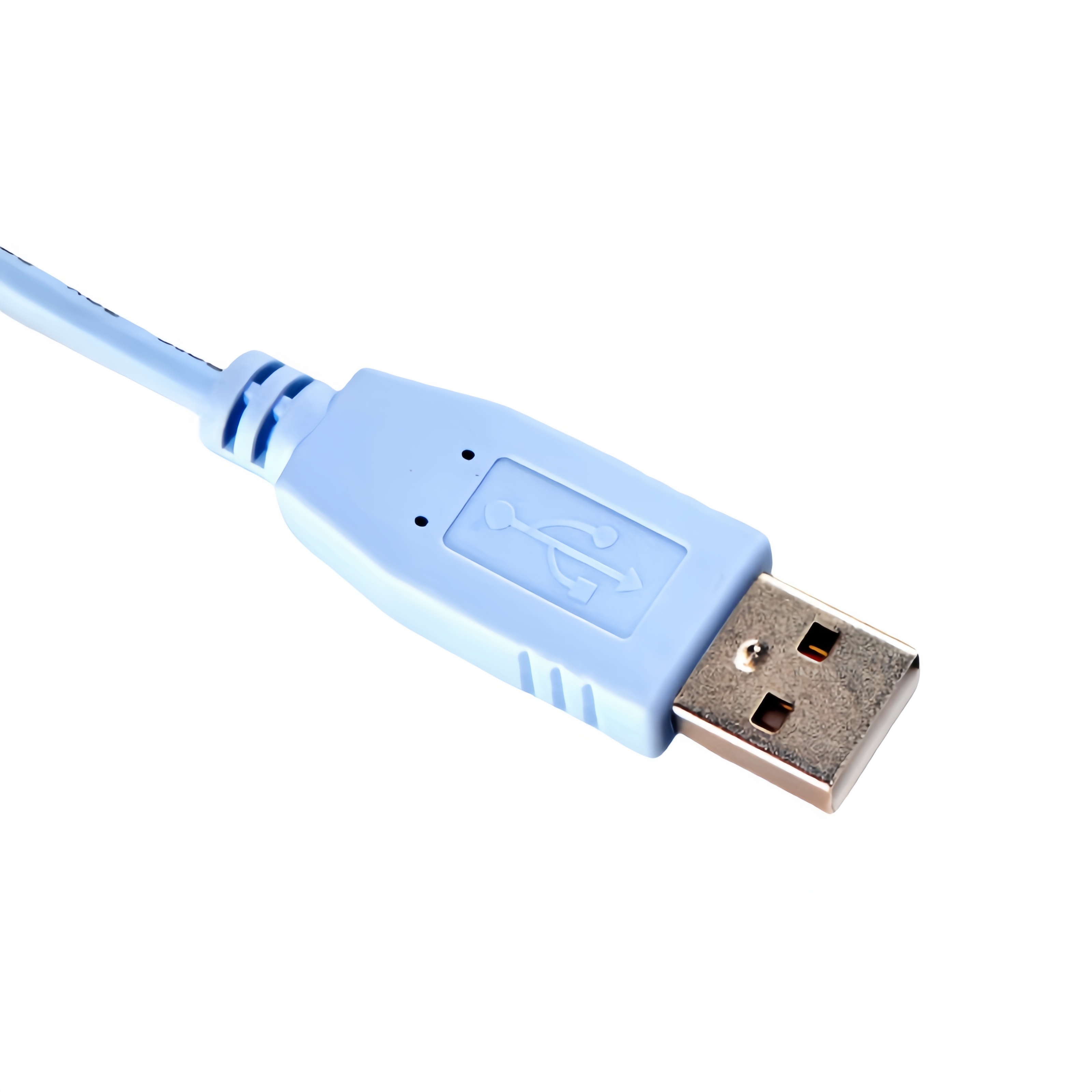
- Color: Light Blue   - Length: 6ft / 1.8m   - Part No.: 37-1090-01   - Connector A: USB Type-A Male   - Connector B: Mini-USB Type-B Male   - Product Number.: CAB-CONSOLE-USB=   - Cable Type: Cisco Mini USB Console Cable
$12.99 USD $0.00 USD
Free worldwide shipping
Free returns
Carbon neutral
Secure payments
Quantity
Only 2000 left
Volume Pricing
Quantity
Price
1+
$12.99 USD each
Inventory quantity : 2000

Upgrade your network management with the Cisco Mini USB Console Cable. Seamlessly communicate and configure Cisco devices with the 6ft CAB-CONSOLE-USB. Elevate your connectivity experience today!(Scroll down to view the user guide)

Designed for seamless configuration and communication with Cisco devices, this 6-foot (1.8m) cable replaces legacy multi-component console kits with a single, streamlined solution. Featuring USB 2.0 connectivity, the light-blue cable ensures reliable data transfer between your computer (USB Type-A) and Cisco networking equipment (Mini-B port). Ideal for IT professionals, this plug-and-play cable simplifies device setup, troubleshooting, and maintenance while maintaining compatibility with modern Cisco hardware.  

Key Features:  
- Single-Cable Solution: Eliminates the need for adapters or multi-cable kits.  
- USB 2.0 Compatibility: Ensures fast, stable console communication.  
- Universal Connectivity: USB Type-A (Host) to Mini-B (Device) for modern Cisco equipment.  
- Durable Construction: Lightweight (48g) and flexible for portability and daily use.  
- Color-Coded Design: Light blue for easy identification in complex setups.  

Specifications:  
- Product Number: CAB-CONSOLE-USB=  
- Part Number: 37-1090-01  
- Type: Rollover Console Cable  
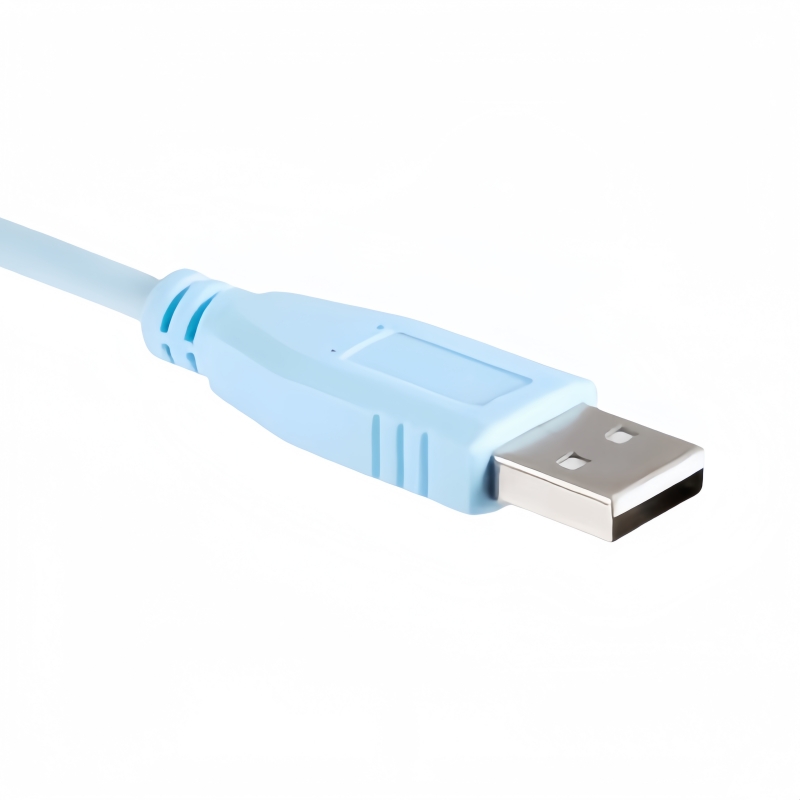
- Connector A:USB Type-A Male  
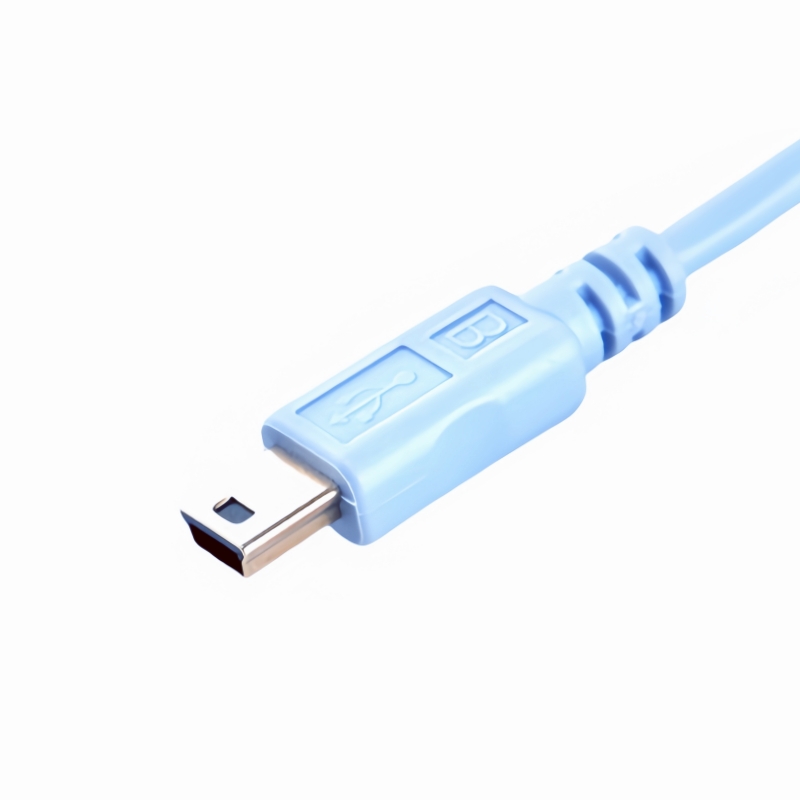
- Connector B: Mini-USB Type-B Male  
- Length: 6ft / 1.8m  
- Weight: 48g  
- Color: Light Blue  

Applications:  
- Configure Cisco routers, switches, and firewalls.  
- Troubleshoot and manage network devices via console access.  
- Compatible with third-party networking equipment supporting Mini-B console ports.  

Compatibility

Cisco Routers:
- 1900 Series: 1921, 1921 4-pair G.SHDSL Bundle, 1921 ADSL2+ Annex M Bundle, 1921 SEC T1 Bundle  
- 1900 Series: 1941, 1941 Mobile Wireless, 1941 Security, 1941 SRE Bundle  

Cisco Catalyst Switches:  
- 2960 Series: 2960-24LC-S, 2960-24LT-L, 2960-24PC-L, 2960-24TC-S, 2960-48PST-L, 2960-48TC-L  
- 2960S Series: 2960S-24PD-L, 2960S-48FPD-L, 2960S-48TS-S, 2960S-24TD-L, 2960S-48LPS-L  
- 2960G Series: 2960G-24TC, 2960G-48TC  

Other Supported Models:  
- Cisco ASA firewalls and select non-Cisco devices with Mini-B console ports.  


Here are the steps to use the Cisco Mini USB Console Cable (USB A to Mini-B Switch Cable):

Step 1: Check Compatibility and Gather Necessary Items

  • Ensure that the Cisco device (such as a router or switch) you want to connect to has a Mini-B console port that is compatible with this cable. Also, make sure your computer has an available USB Type-A port.
  • Gather the Cisco Mini USB Console Cable, the target Cisco device, and your computer. It's also advisable to have the device's user manual on hand for reference regarding specific console port settings and any relevant commands.

Step 2: Install Drivers (if Required)

  • For many modern operating systems like recent versions of Windows, macOS, and Linux, the necessary drivers for the cable might already be included or automatically installed. However, if you're using an older operating system:
    • For Windows:
      • Check if the cable is recognized automatically when plugged in. If not, visit the Cisco website or the manufacturer's support page to look for specific drivers for the Mini USB Console Cable designed for your Windows version (e.g., Windows XP, Vista, etc.). Download the appropriate driver and follow the installation wizard instructions to complete the installation.
    • For macOS:
      • Usually, macOS has built-in support for many common USB devices. But if the cable isn't recognized, search for relevant drivers from Cisco's support resources or check if there are any updates available for the system's USB drivers.
    • For Linux:
      • Depending on the Linux distribution, the required drivers might already be part of the kernel. If not, you may need to use the package manager (e.g., apt-get for Ubuntu, yum for CentOS) to install the necessary modules. Some distributions might require additional configuration steps to get the cable working properly. You can refer to relevant online forums or the distribution's documentation for specific guidance.

Step 3: Connect the Cable

  • Power off the Cisco device to avoid any potential electrical issues during the connection process.
  • Plug the USB Type-A end of the cable into an available USB port on your computer. Make sure it's inserted firmly.
  • Then, connect the Mini-B end of the cable to the Mini-B console port of the Cisco device. Ensure a secure connection to prevent data transmission errors due to a loose connection.

Step 4: Configure the Serial Port Settings on Your Computer

  • Open the terminal application on your computer. For example, on Windows, you can use the Command Prompt; on macOS, it's the Terminal application; and on Linux, it depends on the distribution's default terminal emulator.
  • Set the serial port parameters. The typical settings for Cisco devices are as follows:
    • Baud Rate: Commonly set to 9600, although it can vary depending on the specific model and configuration of the Cisco device. Check the device's manual for the exact baud rate.
    • Data Bits: Usually 8.
    • Stop Bits: Typically 1.
    • Parity: Usually set to none.
  • On Windows, you can access and configure these settings through the Device Manager. Locate the serial port associated with the cable (it might be labeled something like "USB Serial Port" or similar), right-click on it, and select "Properties". Then, go to the "Port Settings" tab to adjust the parameters.
  • On macOS and Linux, you can use commands like stty to set the serial port settings. For example, on Linux, a command might look like this: stty -F /dev/ttyUSB0 9600 cs8 -cstopb -parenb (assuming /dev/ttyUSB0 is the correct device identifier for the connected cable, which you may need to adjust based on your actual setup).

Step 5: Power on the Cisco Device

  • Once the cable is connected properly and the serial port settings are configured correctly, power on the Cisco device.
  • Your computer should now be able to communicate with the device through the console connection.

Step 6: Access and Manage/Configure the Device

  • On your computer's terminal, you can start typing commands to access the device's command-line interface (CLI). For Cisco routers and switches, you'll use commands specific to Cisco's IOS or IOS-XE operating systems to perform tasks such as configuring IP addresses, setting up access control lists, enabling routing protocols, etc.
  • Follow the appropriate configuration procedures based on your specific requirements. For instance, if you want to configure an IP address on an interface of a Cisco router, you might use commands like:
plaintext
enable
configure terminal
interface GigabitEthernet0/0
ip address 192.168.1.1 255.255.255.0
no shutdown
exit
exit
write memory
This is just a simple example, and the actual commands will depend on the exact configuration you need to implement.

Step 7: Disconnect Properly

  • When you've finished the management and configuration tasks, first exit the device's CLI interface by typing appropriate exit commands (e.g., exit or logout depending on the device).
  • Power off the Cisco device.
  • Then, safely disconnect the Mini-B end of the cable from the device's console port and the USB Type-A end from your computer.
By following these steps, you can effectively use the Cisco Mini USB Console Cable to manage and configure your Cisco devices.

Relevant Keywords#- Cisco CAB-CONSOLE-USB  - USB A to Mini-B Console Cable  - Cisco Rollover Console Cable  - Cisco Console Cable 6ft  - USB Mini-B Console Cable  - USB 2.0 Console Cable  - Cisco 1900 Series Console Cable  - Cisco Catalyst 2960 Console Cable  - Cisco Router Configuration Cable  - Cisco Switch Management Cable- Cisco 1921 Console Cable  - Cisco 1941 Console Cable  - Cisco Catalyst 2960S Compatibility  - Cisco ASA Firewall Configuration Cable  - Mini-B Console Port Cable - Single-Cable Console Solution  - Light Blue Cisco Cable  - Plug-and-Play Console Cable  - USB Type-A to Mini-B Rollover  - Cisco Network Device Configuration-Cisco USB Console Cable for 2960 Switches -Replacement Console Cable for Cisco 1921 Router-6ft USB to Mini-B Cisco Rollover Cable-Cisco-Compatible USB Mini-B Configuration Cable -Lightweight Console Cable for Cisco Firewalls- Cisco 37-1090-01 Cable  - CAB-CONSOLE-USB=  - Cisco Part 37-1090-01  - Cisco 2960G-24TC Console Cable  - Cisco 2960S-48TS-S Compatible Cable  

View more
View less