
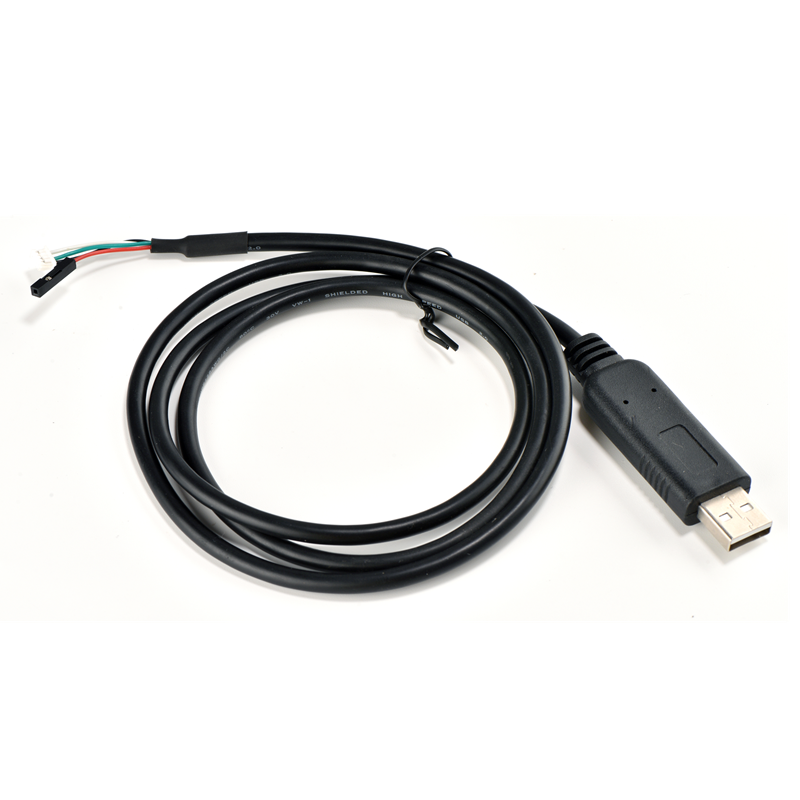
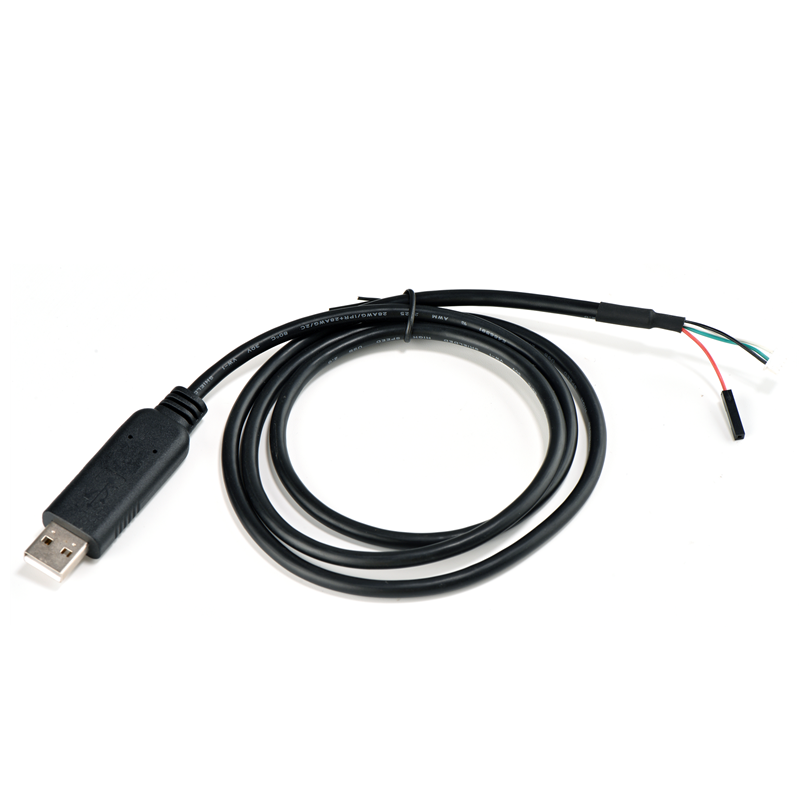
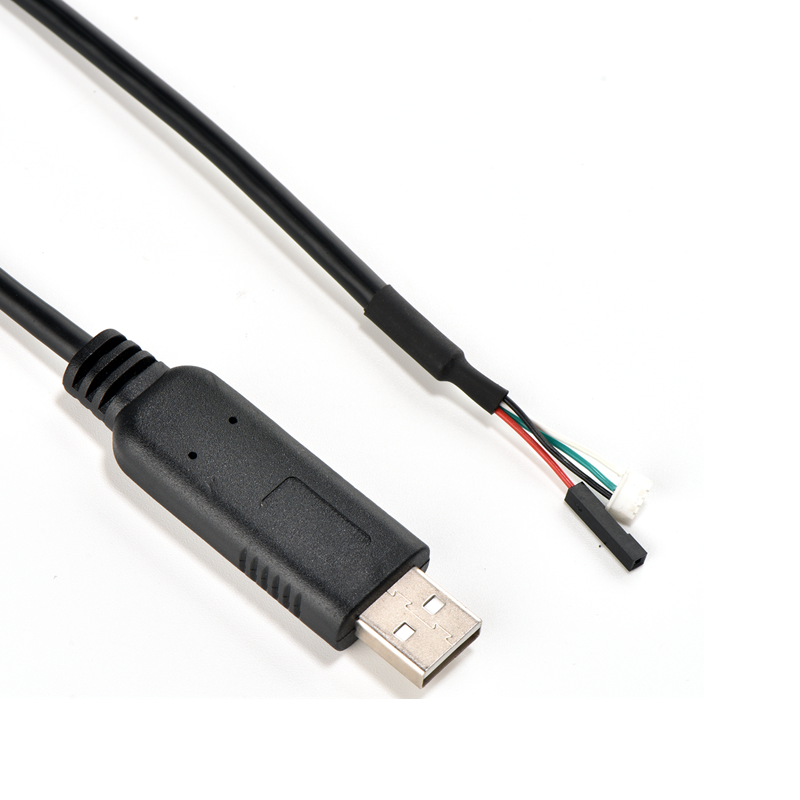
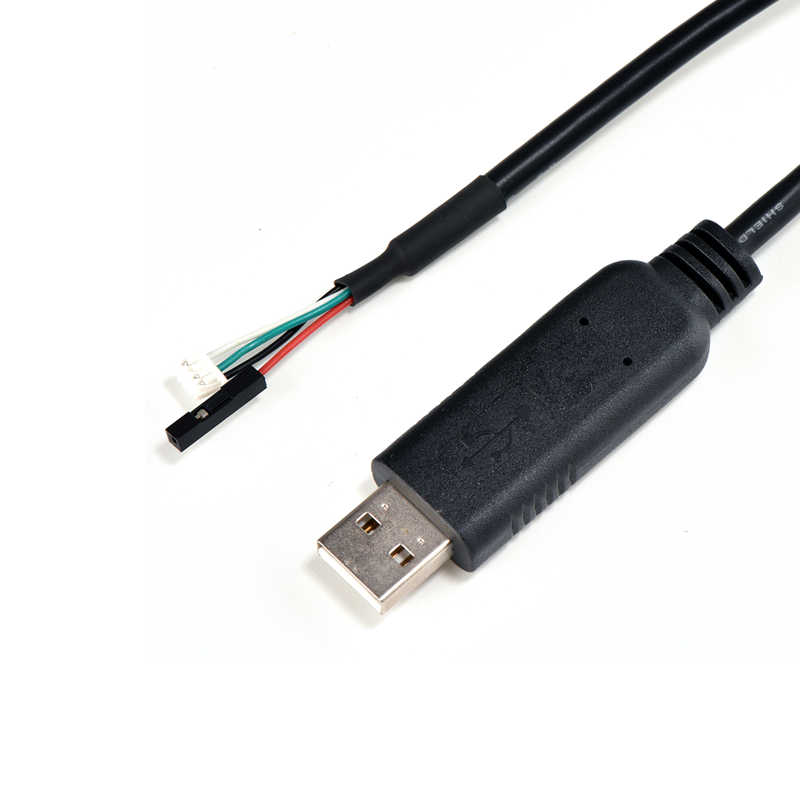
Enhance productivity effortlessly with the PL2303TA USB to TTL Serial Cable. Connect UART devices seamlessly across various systems. Get reliable performance with the Prolific PL2303TA chipset.(Scroll down to see user guide)
PL2303TA USB to TTL Serial Cable: Your Ideal Connectivity Solution for UART Devices
In the realm of connecting and programming UART devices, the PL2303TA USB to TTL Serial Cable stands out as a top-notch accessory. Engineered with precision and designed to meet the diverse needs of networking professionals and tech enthusiasts alike, it offers seamless connectivity across multiple operating systems.
 Product Overview
This USB to TTL Serial Cable, available in a sleek black color, comes in two convenient cable lengths: 3FT (0.91 meters) or 6FT (1.83 meters). Its model is specifically crafted to facilitate the connection between your laptop or PC and UART devices that operate at 3.3V UART signals.
Key Features
1. High-Quality Chipset
At the core of this cable lies the Prolific PL2303TA Chipset, imported from the renowned Prolific Company. This chipset is the cornerstone of its performance, ensuring stability and reliability in data transfer. It's engineered to handle the demands of various UART-based applications, providing a consistent and efficient connection for seamless operation.
2. Versatile Connector Design
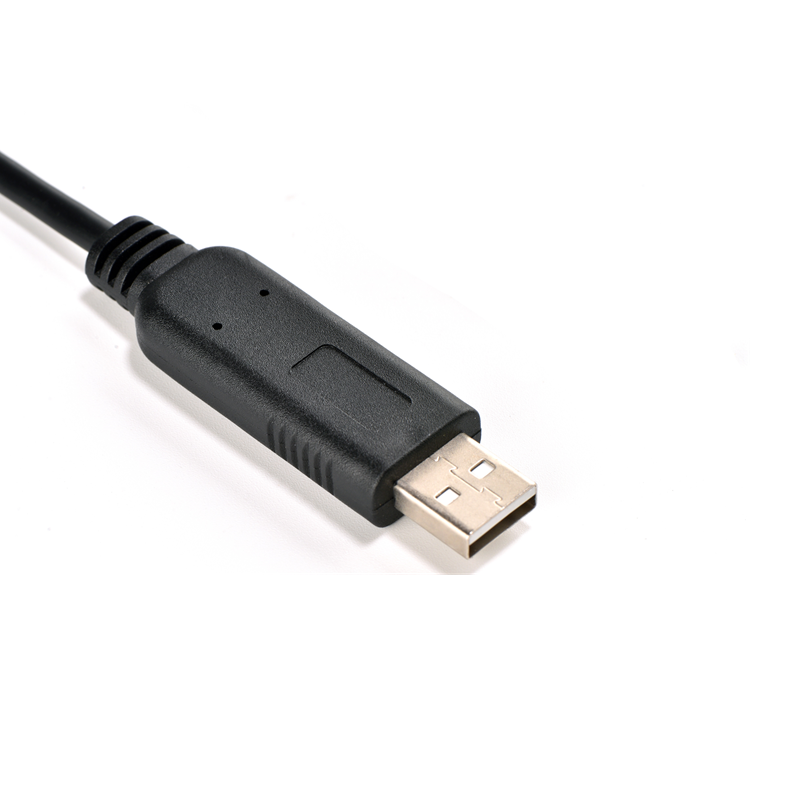
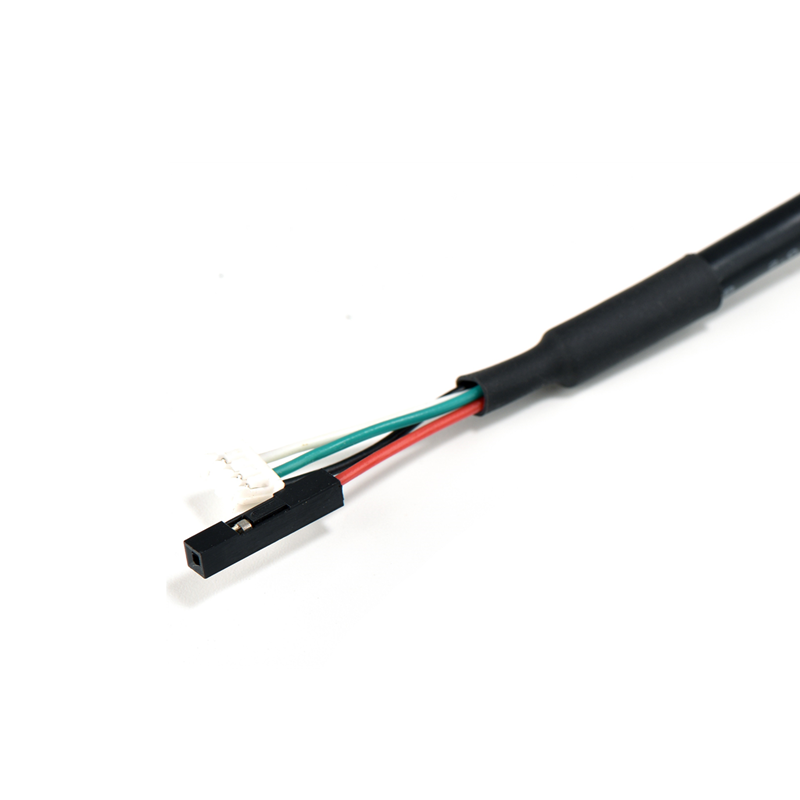
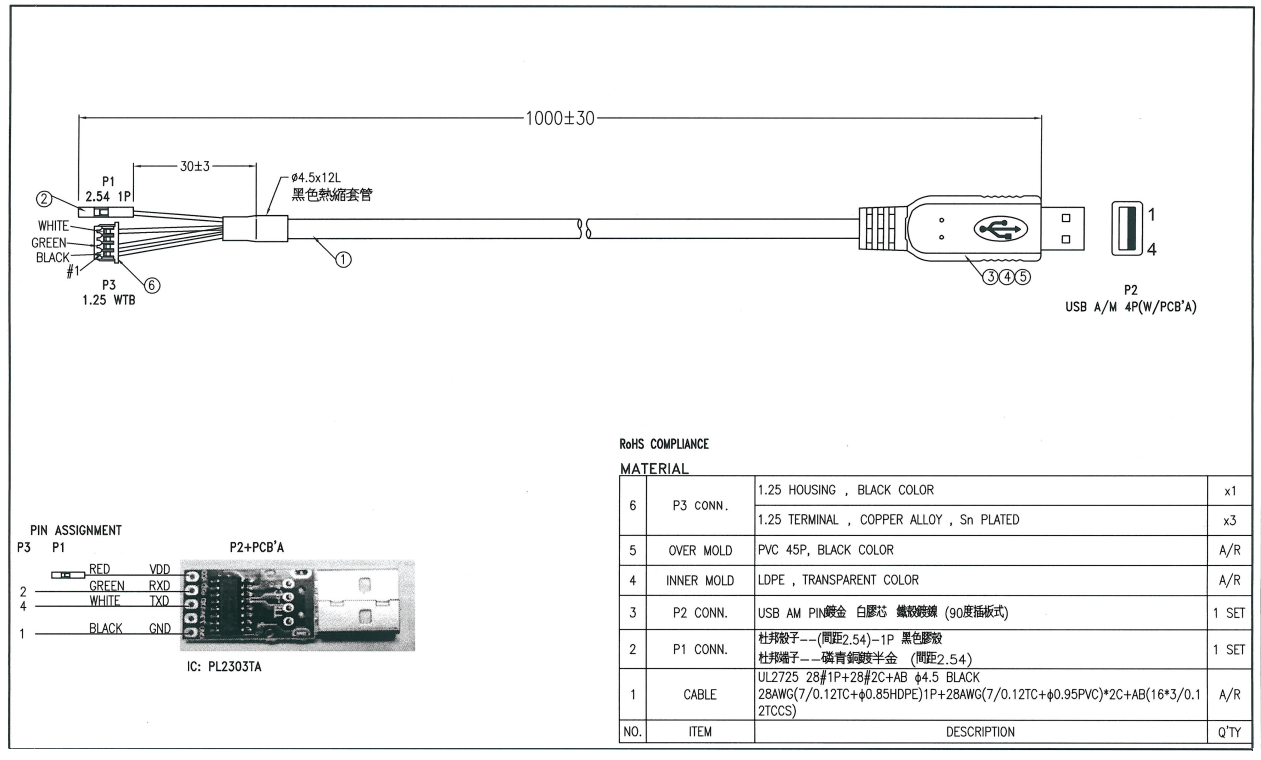
The cable features a USB2.0 AM connector on one end, which is a common and widely compatible interface found on most laptops and PCs. On the other end, it comes with a 2.54MM 1P Header/3Pin 1.25mm Housing, allowing for flexible connections to different UART devices. This design enables easy integration with a wide range of terminals, catering to the specific requirements of various projects.
3. Extensive Compatibility
- Operating Systems: The cable is fully compatible with a broad spectrum of operating systems, including Windows XP, Win7/8/10/11, Mac OS, Linux, and Android. Whether you're working on a Windows-based desktop for professional networking tasks or using a Mac for personal projects, this cable has you covered. It ensures that you can effortlessly access and configure TTL serial ports without any compatibility issues.
- UART Device Compatibility: Thanks to its design with TTL UART Pinouts in mind, it supports various UART devices. The terminals pinout follows the standard configuration of 1-GND (BLK), 2-RXD (GRN), 3-VDD (RD), 4-TXD (WHT), making it easy to connect and communicate with different devices that adhere to these pinout specifications.
4. Optimal Performance
With a maximum RS232 speed of 500kbaud, it offers a reliable and quick data transfer rate. This enables smooth and efficient communication between your computer and the connected UART devices, allowing for timely programming and data exchange. Coupled with its USB2.0 compatibility (also 1.1 compatible), it ensures that you can take full advantage of modern computing capabilities while maintaining backward compatibility with older systems.
5. Quality Manufacturing
Utilizing advanced manufacturing technology, this cable is built to last. It not only provides excellent performance but also withstands the rigors of regular use. The combination of high-quality materials and precise engineering results in a durable product that can be relied upon for consistent connectivity over time.
Applications
The PL2303TA USB to TTL Serial Cable is a must-have for programming UART devices. It's particularly useful in scenarios where seamless networking and quick access to TTL serial ports are essential. Whether you're configuring routers, working with embedded systems, or programming other UART-enabled devices, this cable simplifies the process and ensures reliable connectivity.
In conclusion, the PL2303TA USB to TTL Serial Cable offers a winning combination of a reliable chipset, versatile connectors, broad compatibility, and excellent performance. Elevate your connectivity experience and streamline your work with UART devices by choosing this high-quality cable.
How to use the PL2303TA USB to TTL Serial Cable:
1. Prerequisites
- Check Compatibility:
- Ensure that the UART device you plan to connect has a compatible interface for the 2.54MM 1P Header/3Pin 1.25mm Housing on the cable. Also, verify that the device operates at 3.3V UART signals.
- Confirm that your computer (laptop or desktop) has a USB port and runs one of the supported operating systems, which include Windows XP, Win7/8/10/11, Mac OS, Linux, or Android.
- Driver Installation:
- Windows:
- When you first connect the cable to your Windows computer, it may attempt to automatically install the necessary drivers. However, for the best performance and to avoid potential compatibility issues, it's recommended to visit the Prolific official website and download the latest drivers specifically for the PL2303TA chipset. After downloading the driver installer, run it and follow the on-screen instructions to complete the installation.
- Mac OS:
- Mac systems may also try to recognize the device when connected. But usually, you'll need to download the appropriate Prolific drivers from their official site. Once downloaded, double-click the installer package and follow the prompts to install the drivers.
- Linux:
- Many Linux distributions have built-in support for Prolific chipsets. However, you might need to check if the drivers are properly loaded. You can do this by running a command like
lsmod | grep pl2303tain the terminal. If the driver isn't loaded, you may need to install additional packages or update your kernel. In some cases, you may also have to add your user to the relevant group (e.g.,dialout) to access the serial device. You can use the commandsudo usermod -a -G dialout <your_username>and then log out and log back in.
- Many Linux distributions have built-in support for Prolific chipsets. However, you might need to check if the drivers are properly loaded. You can do this by running a command like
- Android:
- Make sure your Android device has OTG (On-The-Go) support. Some Android devices may require you to install a third-party serial terminal app from the Google Play Store that is compatible with the Prolific chipset.
- Windows:
2. Physical Connection
- Connect to the Computer: Plug the USB2.0 AM connector of the cable into an available USB port on your computer. Ensure that the connection is secure.
- Connect to the UART Device:
- Identify the pins on the UART device that correspond to the cable's 2.54MM 1P Header/3Pin 1.25mm Housing. Refer to the device's documentation if needed.
- Match the pins according to the standard pinout:
- Connect the black wire (GND) on the cable to the ground pin on the UART device.
- Connect the green wire (RXD) on the cable to the receive pin on the UART device.
- Connect the red wire (VDD) on the cable to the power supply pin (usually 3.3V) on the UART device.
- Connect the white wire (TXD) on the cable to the transmit pin on the UART device. Make sure the connections are firm to avoid any signal issues.
3. Software Configuration
- Open Serial Communication Software:
- Windows: Popular choices include PuTTY, Tera Term, or RealTerm. Install the software if you haven't already.
- Mac OS: You can use CoolTerm or the built-in
screencommand in the terminal. For example, if the device is recognized as/dev/tty.usbserial-XXXX(where XXXX is a specific identifier), you can use the commandscreen /dev/tty.usbserial-XXXXto open the serial connection. - Linux: Minicom or
screenare commonly used. For instance, if the device appears as/dev/ttyUSB0(it may vary depending on your system), you can useminicom -D /dev/ttyUSB0orscreen /dev/ttyUSB0to start the serial communication. - Android: Open the serial terminal app you installed earlier.
- Configure Serial Settings:
- Baud Rate: Set the baud rate in the serial communication software to match the baud rate required by the UART device. The cable supports a maximum RS232 speed of 500kbaud, so adjust accordingly.
- Data Bits, Parity, and Stop Bits: Configure these parameters according to the specifications of the UART device. Common settings are 8 data bits, no parity, and 1 stop bit, but check the device's documentation for the correct values.
- Flow Control: Depending on the device and your requirements, you may need to set the flow control options. Options usually include none, hardware (RTS/CTS), or software (XON/XOFF).
4. Testing the Connection
- Send and Receive Data:
- Once you've configured the settings correctly in the serial communication software, you can start sending and receiving data between your computer and the UART device. Type text or commands in the software's input area to send data to the device, and any data received from the device will be displayed in the terminal window.
- Troubleshooting:
- If you encounter issues such as no data transfer or incorrect data display, first double-check all the physical connections to make sure they are properly made and secure. Then, review the serial settings in the software to ensure they match the requirements of the UART device. Also, check if the drivers are installed correctly and up to date.
By following these steps, you should be able to effectively use the PL2303TA USB to TTL Serial Cable to connect and communicate with your UART devices.