• English
  • Afghanistan(USD $)
  • Aland lslands(EUR €)
  • Albania(ALL L)
  • Algeria(DZD د.ج)
  • American Samoa(USD $)
  • Andorra(EUR €)
  • Angola(USD $)
  • Anguilla(XCD $)
  • Antigua and Barbuda(XCD $)
  • Argentina(USD $)
  • Armenia(AMD Դ)
  • Aruba(AWG ƒ)
  • Ascension Island(SHP £)
  • Australia(AUD AU$)
  • Austria(EUR €)
  • Azerbaijan(AZN ман)
  • Bahamas(BSD BSD)
  • Bahrain(BHD .د.ب)
  • Bangladesh(BDT ৳)
  • Barbados(BBD BBD)
  • Belarus(USD $)
  • Belgium(EUR €)
  • Belize(BZD Be)
  • Benin(XOF Fr)
  • Bermuda(BMD BD$)
  • Bhutan(BTN Nu.)
  • Bolivia(BOB Bs.)
  • Bosnia and Herzegovina(BAM КМ)
  • Botswana(BWP P)
  • Brazil(USD $)
  • British Indian Ocean Territory(USD $)
  • Brunei(BND B$)
  • Bulgaria(BGN лв)
  • Burkina Faso(XOF Fr)
  • Burundi(BIF ₣)
  • Cambodia(KHR ៛)
  • Cameroon(XAF ₣)
  • Canada(CAD $)
  • Cape Verde(CVE $)
  • Cayman Islands(KYD $)
  • Central African Republic(XAF ₣)
  • Chad(XAF ₣)
  • Chile(USD $)
  • China(CNY ¥)
  • Christmas Island(AUD AU$)
  • Cocos(Keeling)Islands(AUD AU$)
  • Colombia(USD $)
  • Comoros(KMF Fr)
  • Congo(XAF ₣)
  • Congo(DRC)(CDF ₣)
  • Cook Islands(NZD $)
  • Costa Rica(CRC ₡)
  • Cote d'Ivoire(XOF Fr)
  • Croatia(EUR €)
  • Cyprus(EUR €)
  • Czech Republic(CZK Kč)
  • Denmark(DKK kr)
  • Djibouti(DJF ₣)
  • Dominica(XCD $)
  • Dominican Republic(DOP $)
  • Ecuador(USD $)
  • Egypt(EGP E£)
  • El Salvador(USD $)
  • Equatorial Guinea(XAF ₣)
  • Eritrea(ERN Nfk)
  • Estonia(EUR €)
  • Ethiopia(ETB Br)
  • Faroe Islands(DKK kr)
  • Fiji Islands(FJD FJ$)
  • Finland(EUR €)
  • France(EUR €)
  • French Guiana(EUR €)
  • French Polynesia(XPF ₣)
  • Gabon(XOF Fr)
  • Gambia(GMD D)
  • Georgia(USD $)
  • Germany(EUR €)
  • Ghana(GHS ₵)
  • Gibraltar(GBP £)
  • Greece(EUR €)
  • Greenland(DKK kr)
  • Grenada(XCD $)
  • Guadeloupe(EUR €)
  • Guam(USD $)
  • Guatemala(GTQ Q)
  • Guernsey(GBP £)
  • Guinea(GNF ₣)
  • Guinea-Bissau(XOF Fr)
  • Guyana(GYD $)
  • Haiti(USD $)
  • Heard Island and McDonald Islands(AUD AU$)
  • Honduras(HNL L)
  • Hong Kong SAR(HKD HK$)
  • Hungary(HUF Ft)
  • Iceland(ISK Kr)
  • India(INR ₹)
  • Indonesia(IDR Rp)
  • Iraq(USD $)
  • Ireland(EUR €)
  • Isle of Man(GBP £)
  • Israel(ILS ₪)
  • Italy(EUR €)
  • Jamaica(JMD $)
  • Japan(JPY ¥)
  • Jersey(GBP £)
  • Jordan(USD $)
  • Kazakhstan(KZT 〒)
  • Kenya(KES Sh)
  • Kiribati(AUD AU$)
  • Korea(KRW ₩)
  • Kuwait(KWD دينار)
  • Kyrgyzstan(KGS С̲)
  • Laos(LAK ₭)
  • Latvia(EUR €)
  • Lebanon(LBP ل.ل)
  • Lesotho(USD $)
  • Liberia(USD $)
  • Libya(USD $)
  • Liechtenstein(CHF ₣)
  • Lithuania(EUR €)
  • Luxembourg(EUR €)
  • Macao SAR(MOP P)
  • Macedonia,Former Yugoslav Republic of(MKD ден)
  • Madagascar(USD $)
  • Malawi(MWK MK)
  • Malaysia(MYR RM)
  • Maldives(MVR ރ.)
  • Mali(XOF Fr)
  • Malta(EUR €)
  • Marshall Islands(USD $)
  • Martinique(EUR €)
  • Mauritania(USD $)
  • Mauritius(MUR ₨)
  • Mayotte(EUR €)
  • Mexico(USD $)
  • Micronesia(USD $)
  • Moldova(MDL L)
  • Monaco(EUR €)
  • Mongolia(MNT ₮)
  • Montenegro(EUR €)
  • Montserrat(XCD $)
  • Morocco(MAD د.م.)
  • Mozambique(USD $)
  • Myanmar(MMK K)
  • Namibia(USD $)
  • Nauru(AUD AU$)
  • Nepal(NPR ₨)
  • Netherlands(EUR €)
  • Netherlands Antilles(USD $)
  • New Caledonia(XPF ₣)
  • New Zealand(NZD $)
  • Nicaragua(NIO C$)
  • Niger(XOF Fr)
  • Nigeria(NGN ₦)
  • Niue(NZD $)
  • Norfolk Island(AUD AU$)
  • Northern Mariana Islands(USD $)
  • Norway(USD $)
  • Oman(OMR ر.ع.)
  • Pakistan(PKR ₨)
  • Palau(USD $)
  • Palestinian Authority(ILS ₪)
  • Panama(USD $)
  • Papua New Guinea(PGK K)
  • Paraguay(PYG ₲)
  • Peru(PEN S/)
  • Philippines(PHP ₱)
  • Pitcairn Islands(NZD $)
  • Poland(PLN zł)
  • Portugal(EUR €)
  • Puerto Rico(USD $)
  • Qatar(QAR ر.ق)
  • Reunion(EUR €)
  • Romania(RON L)
  • Russia(USD $)
  • Rwanda(RWF ₣)
  • Samoa(WST T)
  • San Marino(EUR €)
  • Sao Tome and Principe(USD $)
  • Saudi Arabia(SAR ر.س)
  • Senegal(XOF Fr)
  • Serbia(RSD din)
  • Seychelles(USD $)
  • Sierra Leone(SLL Le)
  • Singapore(SGD S$)
  • Slovakia(EUR €)
  • Slovenia(EUR €)
  • Solomon Islands(SBD Si$)
  • Somalia(SOS Sh)
  • South Africa(USD $)
  • Spain(EUR €)
  • Sri Lanka(LKR Rs)
  • St. Martin (French part)(EUR €)
  • St.Helena(SHP £)
  • St.Kitts and Nevis(XCD $)
  • St.Lucia(XCD $)
  • St.Pierre and Miquelon(EUR €)
  • St.Vincent and the Grenadines(XCD $)
  • Sudan(SDG ج.س.)
  • Suriname(USD $)
  • Svalbard and Jan Mayen(USD $)
  • Swaziland(USD $)
  • Sweden(SEK kr)
  • Switzerland(CHF ₣)
  • Taiwan(TWD NT$)
  • Tajikistan(TJS ЅМ)
  • Tanzania(TZS Sh)
  • Thailand(THB ฿)
  • Timor-Leste(USD $)
  • Togo(XOF Fr)
  • Tokelau(NZD $)
  • Tonga(TOP T$)
  • Trinidad and Tobago(TTD TTD)
  • Tristan da Cunha(GBP £)
  • Tunisia(USD $)
  • Turkey(USD $)
  • Turkmenistan(TMT m)
  • Turks and Caicos Islands(USD $)
  • Tuvalu(AUD AU$)
  • Uganda(UGX Sh)
  • Ukraine(UAH ₴)
  • United Arab Emirates(AED د.إ)
  • United Kingdom(GBP £)
  • United States(USD $)
  • United States Minor Outlying Islands(USD $)
  • Uruguay(UYU $)
  • Uzbekistan(UZS лв)
  • Vanuatu(VUV Vt)
  • Vatican City(EUR €)
  • Venezuela(USD $)
  • Vietnam(VND ₫)
  • Virgin Islands(USD $)
  • Virgin Islands,British(USD $)
  • Wallis and Futuna(XPF ₣)
  • Western Sahara(MAD د.م.)
  • Yemen(YER ﷼)
  • Zambia(USD $)
  • Zimbabwe(USD $)
Chat With Us
We offer 24-hour chat support
Chat With Us
We offer 24-hour chat support
Added to your cart
Subtotal
Discount
Discount
Cart subtotal
RJ45 to DB9 Cisco Console Cable
RJ45 to DB9 Female Cable
DB9 to RJ45 8P8C Male Connector
RJ45 to DB9 Rollover Cable
RJ45 DB9 Cisco Console Cable
RJ45 to DB9 Cisco Console Cable
RJ45 to DB9 Female Cable
DB9 to RJ45 8P8C Male Connector
RJ45 to DB9 Rollover Cable
RJ45 DB9 Cisco Console Cable
RJ45 to DB9 Cisco Console Cable
RJ45 to DB9 Female Cable
DB9 to RJ45 8P8C Male Connector
RJ45 to DB9 Rollover Cable
RJ45 DB9 Cisco Console Cable

RJ45 to DB9 Console Cable Cisco DB9 to RJ45 Serial Adapter | PINOWELL

PNW-RJ45M2DB9F-CBL6
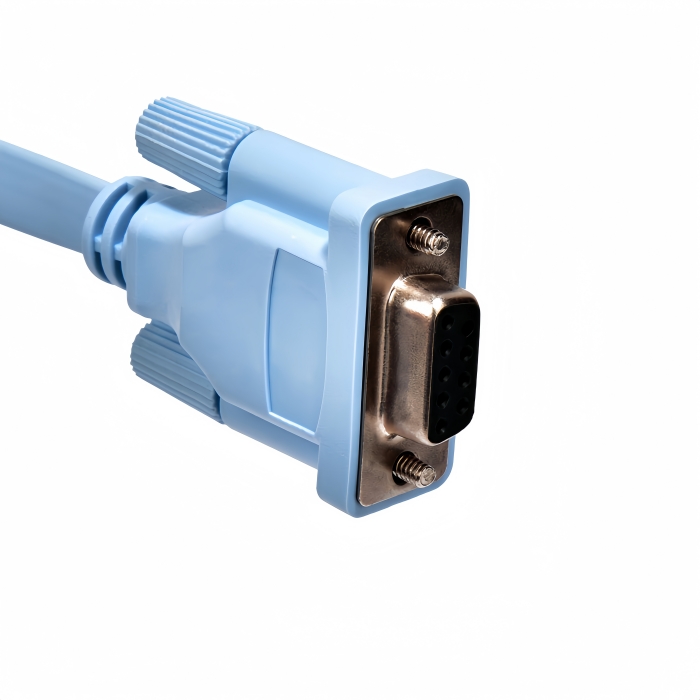
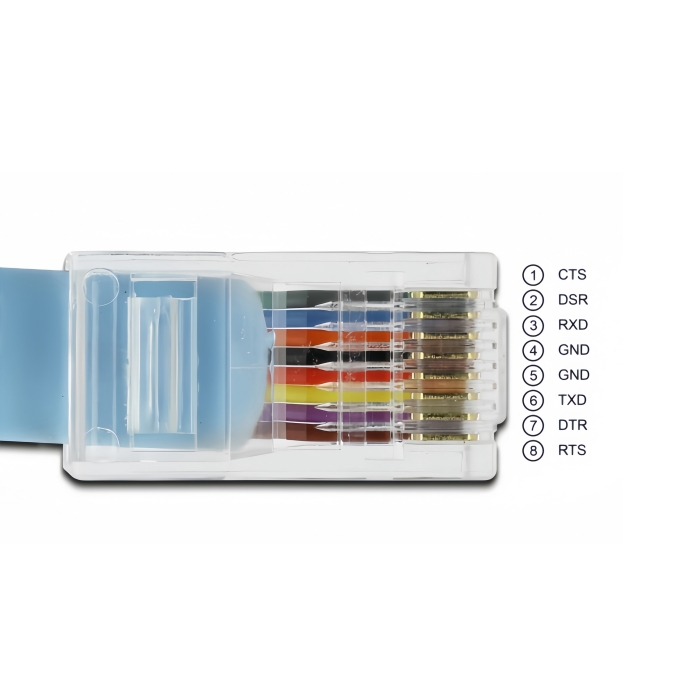
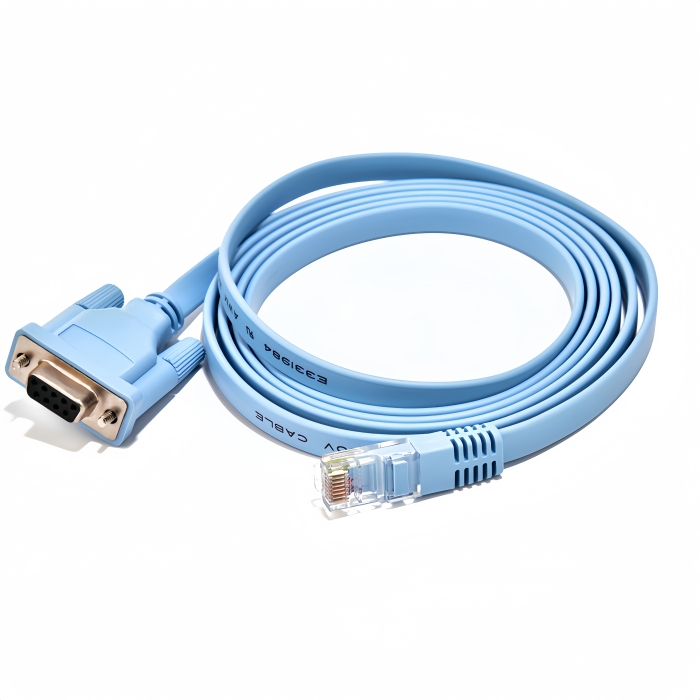
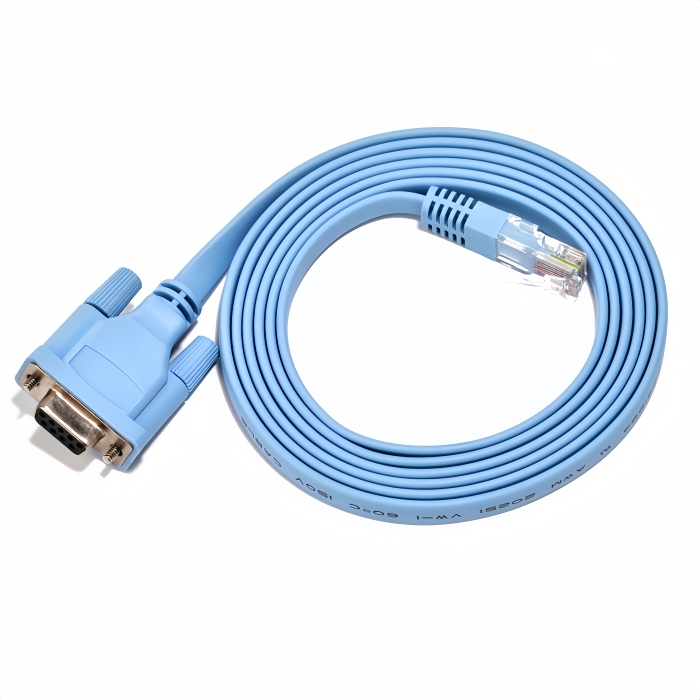
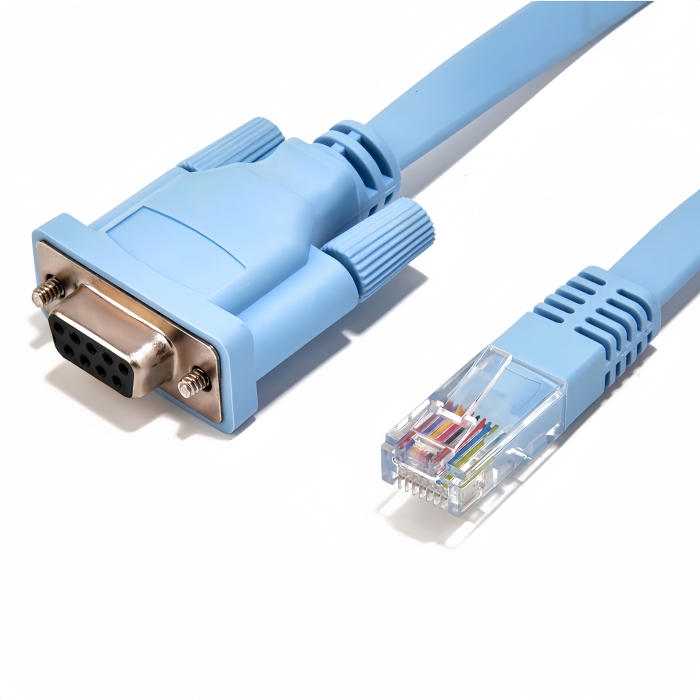
*Color:Blue *Cable Length:6ft /1.8M *Part Number:72-3383-01 *Connector:RJ45 8P8C Male to DB9 9Pin Female *Cable Type:RJ45 to DB9 Cisco Console Cable/Router Management Cable *Compatible Systems:Windows XP,Win7/8/10/11,Mac OS,Linux,Android,Vista,etc.
$7.99 USD $0.00 USD
Free worldwide shipping
Free returns
Carbon neutral
Secure payments
Size
6FT
Quantity
Only 2000 left
Volume Pricing
Quantity
Price
1+
$7.99 USD each
Inventory quantity : 2000

Effortlessly manage your Cisco router and switch with our reliable 6ft RJ45 to DB9 Console Cable. Connect with ease using the RJ45 8P8C Jack connector to D-Sub 9Pin Female/COM Port. Get yours now!(Scroll down to see user guide)

RJ45 to DB9 Console Cable | Cisco DB9 to RJ45 Serial Adapter (72-3383-01)-Seamless Cisco Network Device Management
 
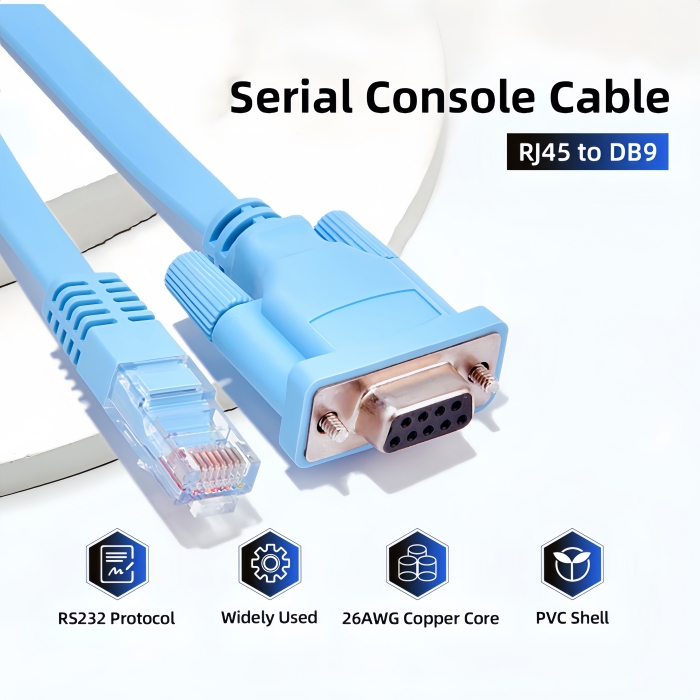
The PINOWELL RJ45 to DB9 Console Cable bridges modern RJ45-equipped devices with legacy DB9 serial ports, delivering secure, reliable connectivity for Cisco routers, switches, and other networking hardware. Engineered for professional use, this cable ensures efficient configuration and troubleshooting in enterprise environments.
 
Core Features
  • Dual-Protocol Compatibility: Converts RJ45 (8P8C) to DB9 (D-Sub 9-pin) for direct access to Cisco console ports.
  • Plug-and-Play Simplicity: No drivers required—works with Windows, macOS, Linux, and Android via terminal emulators (e.g., PuTTY, Tera Term).
  • Premium Construction:
    • Flat Cable Design: Tangling-resistant for easy routing in data centers.
    • Oxygen-Free Copper Core: Ensures low latency and EMI/RFI resistance for stable 115.2Kbps data transmission.
    • 6ft/1.8M Length: Optimal reach for desktop or rack-mounted setups.
Technical Specifications
Specification Details
Interface RJ45 Male to DB9 Female (DTE/DCE auto-detect)
Cable Length 6ft/1.8M
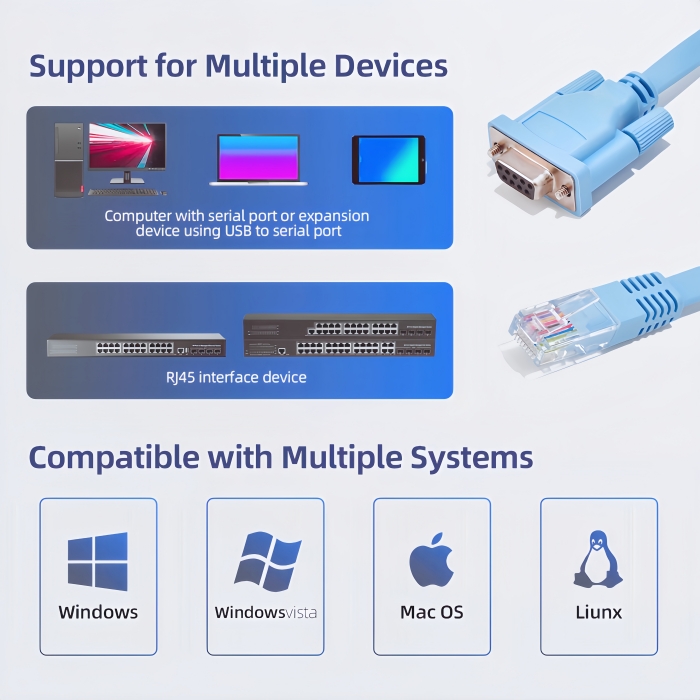
Compatibility Cisco (ASR/GSR/ISR/ME3400), Juniper, NETGEAR, Ubiquity, TP-Link, Huawei, H3C, HP, 3Com
OS Support Windows XP/7/8/10/11, macOS, Linux, Android
Data Rate Up to 115.2Kbps (RS232 standard)
Certifications RoHS, CE, FCC
 
Applications
  • Cisco Network Devices: Routers (e.g., ISR 4000, ASR 9000), switches (e.g., Catalyst 9000), and firewalls.
  • Multi-Brand Management: Juniper MX Series, NETGEAR ProSAFE, Ubiquity EdgeRouter, TP-Link Omada.
  • Industrial Use: PLC programming, embedded system debugging, and legacy equipment integration.
Why Choose PINOWELL?
  • Reliability: Factory-tested for 10,000+ bend cycles and 24/7 operation.
  • Cost-Effective: Direct replacement for Cisco 72-3383-01 and other OEM cables.
  • Global Support: Free firmware updates and 24/7 technical assistance.
Upgrade Your Console Access
Simplify network configuration with the PINOWELL RJ45 to DB9 Cable—where precision meets performance.

RJ45 to DB9 Cisco Console Cable


High quality RJ45 to DB9 Rollover Console Cable

Plug and Play RJ45 to DB9 Console CableWide Compatibility of RJ45 Cisco Console Cable


How to Use the RJ45 to DB9 Console Cable for Cisco Devices

Step 1: Connect the Hardware

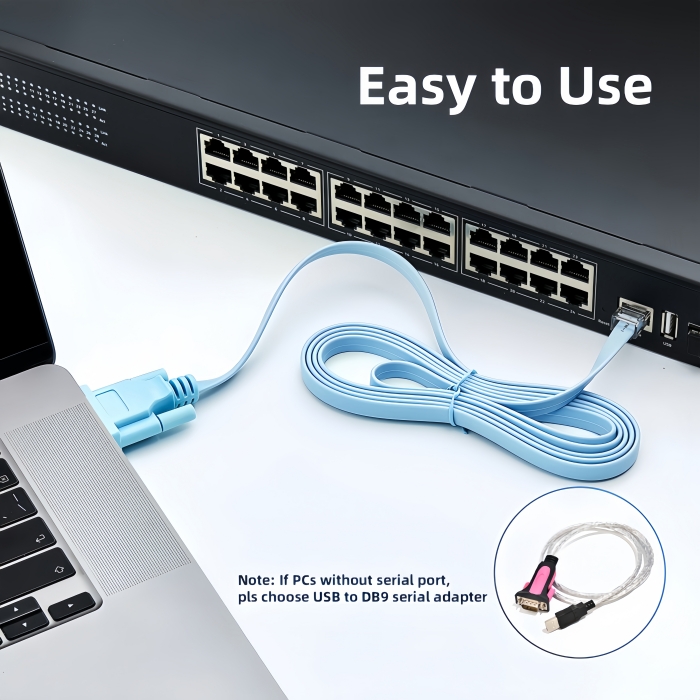
  1. RJ45 End: Plug the RJ45 Male connector into the Console Port of your Cisco router/switch (labeled "CONSOLE" or "AUX").
  2. DB9 End:
    • Direct Connection: If your computer has a DB9 Serial Port, plug the DB9 Female connector directly into it.
    • USB Adapter: If your computer lacks a serial port, use a USB to DB9 Adapter (e.g., FTDI-based) and connect it to a USB port.

Step 2: Install Drivers (if needed)

  • USB Adapter Users:
    • Windows: Plug in the adapter. Drivers may auto-install via Windows Update. If not, download them from the adapter manufacturer’s website (e.g., FTDI).
    • macOS: Download the FTDI VCP Driver and install it.
    • Linux: Drivers are usually pre-installed (check /dev/ttyUSB0).

Step 3: Configure Terminal Software

  1. Choose a Terminal Emulator:
    • Windows: PuTTYTera Term.
    • macOS: CoolTermZTerm.
    • Linux: MinicomScreen.
  2. Set Serial Parameters:
    • Baud Rate: 9600 (default for Cisco devices).
    • Data Bits: 8.
    • Stop Bits: 1.
    • Parity: None.
    • Flow Control: None.
  3. Select the COM Port:
    • Windows: Check Device Manager > Ports (COM & LPT) for the assigned port (e.g., COM3).
    • macOS/Linux: Use the port path (e.g., /dev/ttyUSB0).

Step 4: Access the Device Console

  1. Power On the Device:
    • Ensure the Cisco router/switch is powered and booting.
  2. Login to the Console:
    • Press Enter in the terminal to trigger the login prompt.
    • Use default credentials (e.g., admin/admin or refer to your device’s manual).
  3. Execute Commands:
    • Use Cisco IOS commands (e.g., show running-configinterface gigabitethernet0/0).

Step 5: Troubleshooting

  • No Connection:
    • Verify the cable is fully inserted into both devices.
    • Check the device’s console port label (ensure it’s RS232, not Ethernet).
  • Driver Issues:
    • Reinstall the FTDI driver for macOS/Linux.
    • On Windows, update drivers via Device Manager.
  • Communication Errors:
    • Confirm baud rate and parity settings match the device’s configuration.
    • Try a shorter cable or shielded cable if EMI interference is suspected.

Key Features at a Glance

Feature Function
RJ45 to DB9 Conversion Direct access to Cisco console ports
Plug-and-Play No drivers required for the cable itself
6ft/1.8M Length Optimal reach for desktop/rack setups

Safety Notes

  • Power Off: Disconnect the device from the mains before modifying connections.
  • Avoid Overload: Do not use the cable for non-Cisco devices unless specified.
  • Firmware Updates: Keep the device’s firmware updated for compatibility.
Need Further Assistance?

Keywords#RJ45 to DB9 Console Cable, Cisco DB9 to RJ45 Adapter, 6ft/1.8M Router Cable, Plug-and-Play Serial Converter, Oxygen-Free Copper, EMI Shielding, Windows/Mac/Linux Compatibility, CE/RoHS/FCC Certified, Juniper/NETGEAR/Ubiquity Support, Flat Cable Design, 115.2Kbps Data Rate,RJ45 to DB9 Console Setup, Cisco Router Configuration, Serial Port Terminal Guide, PuTTY/Tera Term Configuration, 9600 Baud Rate, USB to DB9 Adapter Drivers, Troubleshooting Cisco Console Cable, Windows/Mac/Linux Compatibility, CE/RoHS/FCC Certified

View more
View less