
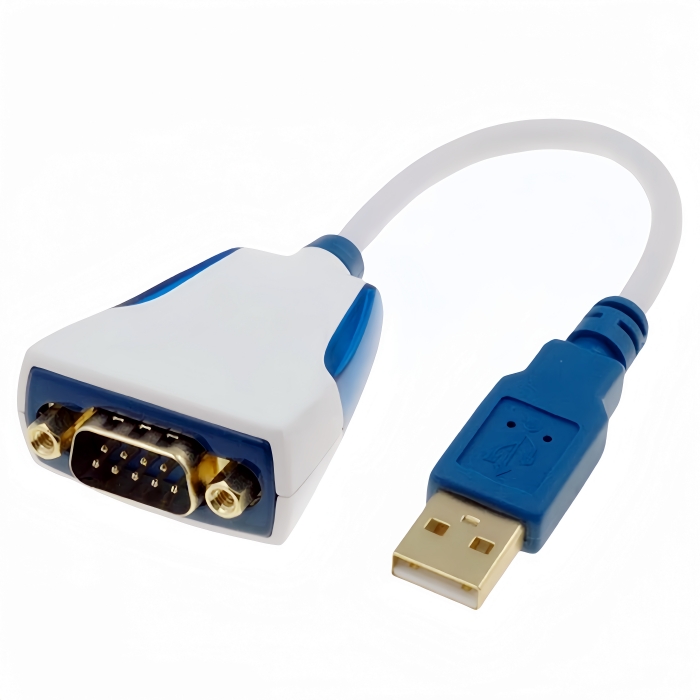
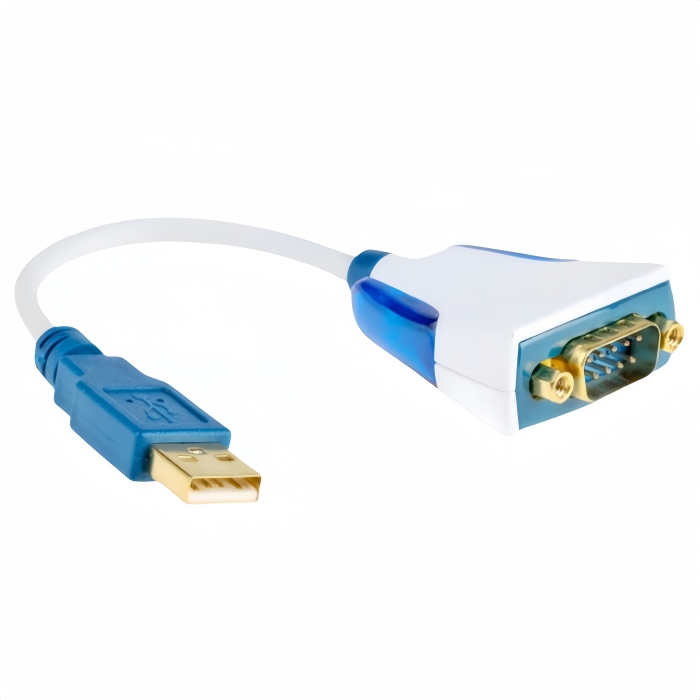
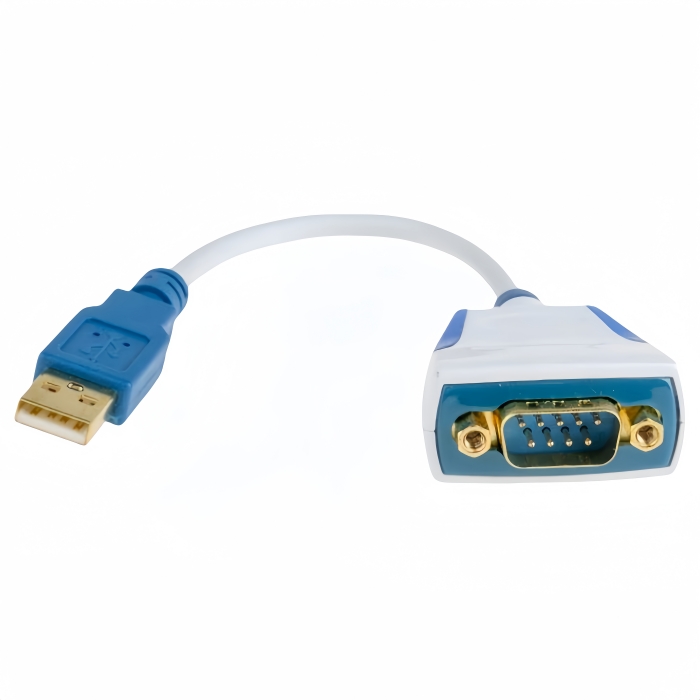
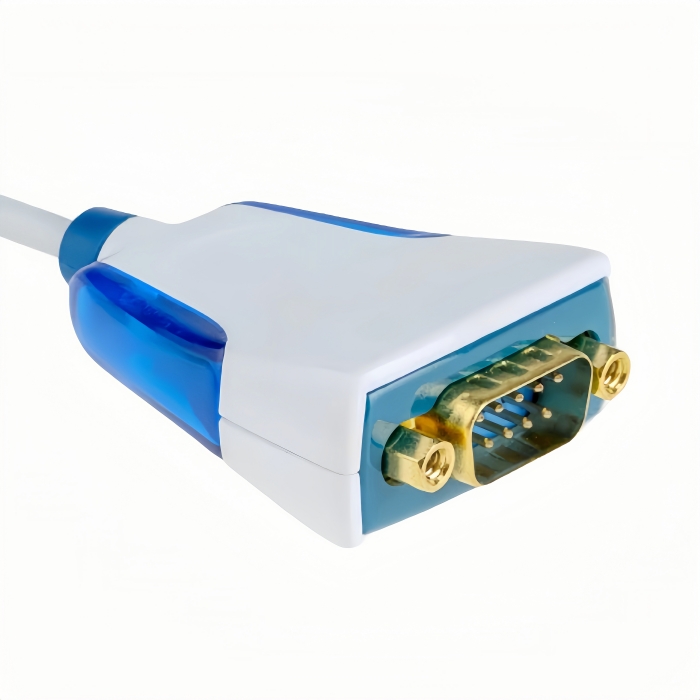
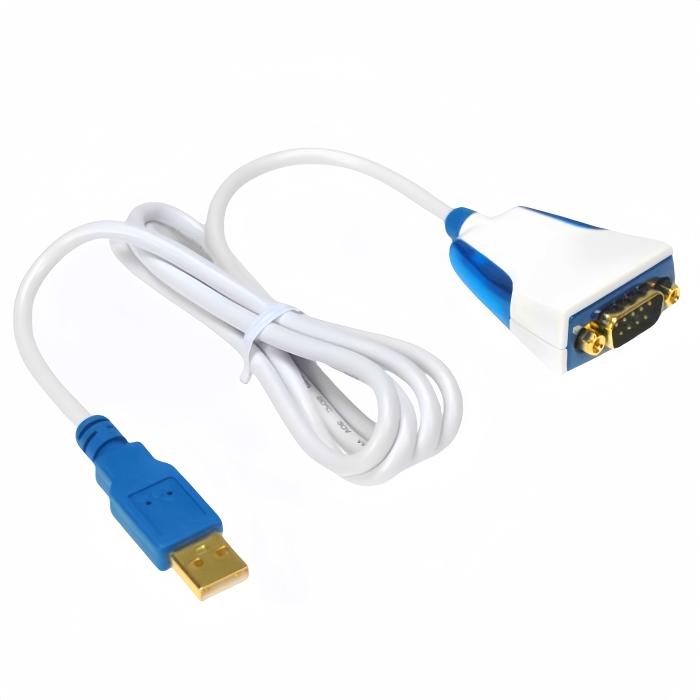
Unlock seamless connectivity with the US232R-100 FTDI USB to RS232 Converter Cable. Featuring premium FT232RQ chip housed in glossy white enclosure with striking blue LEDs. Connect with ease today!
USB to RS232 Converter Cable | FTDI Premium US232R-100-BULK (White/Blue)-Industrial-Grade Serial Connectivity Redefined
The PINOWELL USB to RS232 Converter Cable combines FTDI’s FT232RQ chipset with premium engineering to deliver seamless USB-to-RS232 conversion for mission-critical applications. Ideal for industrial automation, medical devices, and IoT systems, this cable bridges legacy serial hardware with modern USB-enabled devices.
Flagship Features
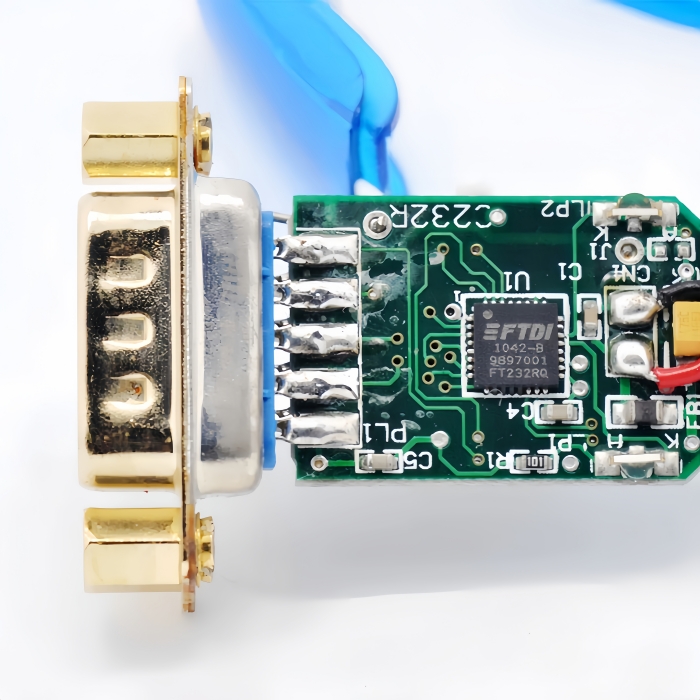
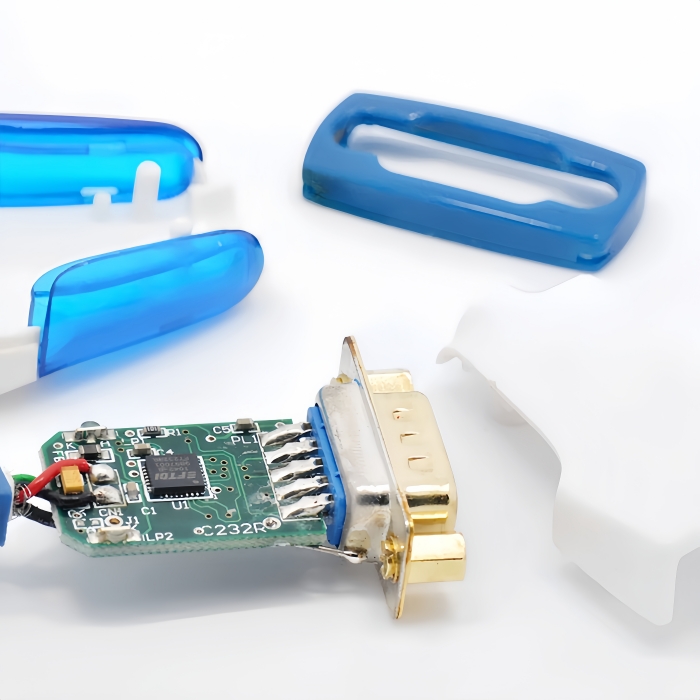
- FTDI FT232RQ Chipset:
- Supports data rates up to 1Mbps for high-speed synchronization.
- Backward compatible with RS232, RS485, and RS422 protocols.
- Driver-free operation on Windows, macOS, Linux, and Android.
- Dual-Color LED Indicators:
- Real-time TX/RX activity monitoring via side-lit blue LEDs for instant troubleshooting.
- Gold-Plated Connectors:
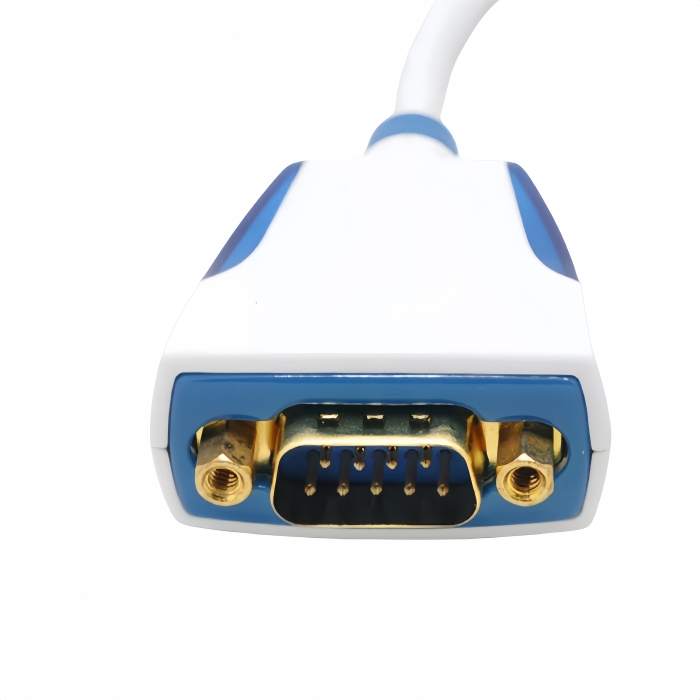
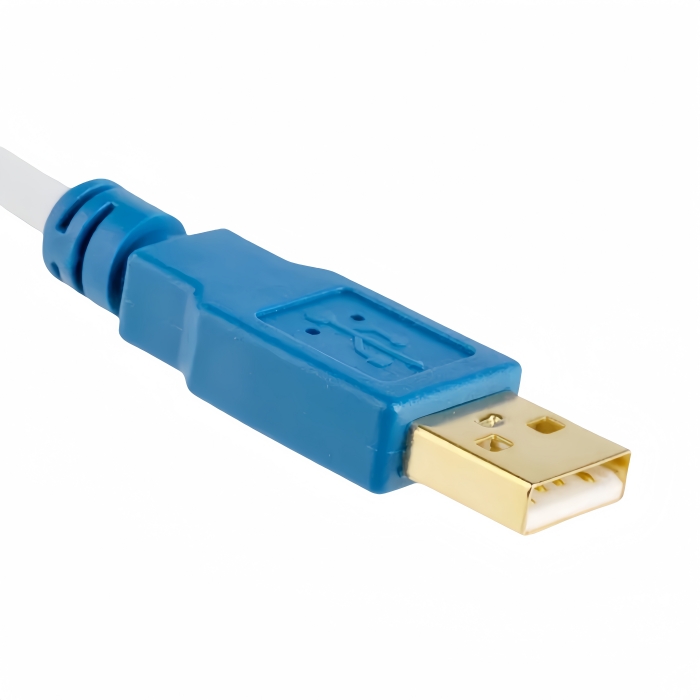
- USB Type-A Male and DB9 Male connectors resist corrosion and ensure secure, low-resistance connections.
- Premium Design:
- Glossy white enclosure with ergonomic grip for professional aesthetics.
- 0.25M/1.0M cables with reinforced strain relief for desk/bench-top use.
Technical Specifications
| Category | Details |
|---|---|
| Interface | USB 2.0 Type-A to DB9 Male (RS232) |
| Chipset | FTDI FT232RQ |
| Baud Rate | 300bps–1Mbps |
| Voltage | 5V DC (USB-powered) |
| Cable Length | 0.25M (0.82ft) or 1.0M (3.28ft) |
| EMI Protection | Shielded twisted pair (STP) construction |
| Certifications | CE, FCC, RoHS |
Applications
- Industrial Automation:
- PLC programming (Siemens, Allen-Bradley), sensor networks, and machine control.
- Medical Technology:
- ECG machines, lab equipment, and patient monitoring systems.
- IoT & Embedded Systems:
- Arduino/Raspberry Pi debugging, sensor data logging, and gateway integration.
- Network Infrastructure:
- Cisco/Huawei router configuration via console ports.
- Automotive Diagnostics:
- OBD-II code readers, CAN bus analysis, and ECU programming.
Performance Advantages
- Plug-and-Play:
- Auto-detects on Windows, macOS, Linux, and Android—no driver installation required.
- Stability:
- Active signal conditioning ensures noise-free transmission in EMI-prone environments.
- Durability:
- 10,000+ bend cycles tested with 24/7 continuous operation capability.
Why PINOWELL?
- FTDI Trust:
- Market-leading chipset with 99.9% compatibility across global RS232 devices.
- Premium Components:
- Oxygen-free copper conductors and gold-plated contacts minimize signal loss.
- Global Support:
- 24/7 technical assistance and firmware updates for long-term reliability.
Upgrade Your Connectivity
The PINOWELL FTDI USB to RS232 Converter Cable transforms USB ports into high-performance serial interfaces. Perfect for professionals demanding speed, security, and scalability.
The PINOWELL FTDI USB to RS232 Converter Cable transforms USB ports into high-performance serial interfaces. Perfect for professionals demanding speed, security, and scalability.
How to Use the USB to RS232 Converter Cable FTDI Premium US232R-100-BULK
Step 1: Hardware Setup
-
USB Connection:
- Plug the USB Type-A Male connector into your computer, laptop, or USB hub.
- Ensure the cable is fully inserted for a secure connection.
-
RS232 Device Connection:
- Attach the DB9 Male connector to your RS232-equipped device (e.g., PLC, barcode scanner, medical device).
- Align the pins carefully and secure with the locking screws (if present).
Step 2: Driver Installation
- Plug-and-Play:
- Windows: Drivers auto-install via Windows Update. Check Device Manager > Ports (COM & LPT) for the assigned port (e.g.,
COM3). - macOS: Drivers auto-install. Verify via System Information > USB.
- Linux: Drivers are pre-installed (check
/dev/ttyUSB0).
- Windows: Drivers auto-install via Windows Update. Check Device Manager > Ports (COM & LPT) for the assigned port (e.g.,
- Manual Driver Download (if needed):
- Download the FTDI VCP Driver from FTDI’s official website.
Step 3: Configure Serial Software
-
Choose a Terminal Emulator:
- Windows: PuTTY, Tera Term.
- macOS: CoolTerm, ZTerm.
- Linux: Minicom, Screen.
-
Set Serial Parameters:
- Baud Rate: Match your device’s settings (e.g., 9600, 115200).
- Data Bits: 8.
- Stop Bits: 1.
- Parity: None.
- Flow Control: None.
-
Open the Port:
- Select the COM port or device path (e.g.,
/dev/ttyUSB0).
- Select the COM port or device path (e.g.,
Step 4: Test Communication
-
LED Indicators:
- Blue TX/RX LEDs: Flash when data is transmitted/received.
- Steady LED: Indicates power but no activity.
-
Send/Receive Data:
- Use the terminal software to send commands (e.g., AT commands for modems).
- Verify responses from your RS232 device.
Step 5: Troubleshooting
- No Signal:
- Re-seat both ends of the cable.
- Try a different USB port or cable.
- Driver Issues:
- Reinstall drivers for macOS/Linux.
- On Windows, update drivers via Device Manager.
- Incorrect Baud Rate:
- Check the device’s documentation for correct baud rate settings.
Key Features in Action
| Feature | Function |
|---|---|
| FTDI FT232RQ Chipset | Enables 1Mbps data transfer and driver-free use |
| LED Indicators | Visualize real-time TX/RX activity |
| Gold-Plated Connectors | Ensure corrosion-resistant, low-resistance connections |
Safety Notes
- Power Off: Disconnect devices before modifying connections.
- Voltage Limits: The cable draws power from USB (5V DC). High-power devices may require external power.
- EMI Protection: Use shielded cables in noisy environments.
Keywords#FTDI FT232RQ, USB to RS232 Converter, DB9 Male, 1Mbps Data Rate, LED Indicators, Gold-Plated Connectors, Plug-and-Play, CE/FCC/RoHS, Industrial Automation, Medical Device Connectivity, IoT Development, Network Management, OBD-II Diagnostics, EMI Shielding, Premium Construction,USB to RS232 Setup, FTDI FT232RQ Driver, DB9 Male Connection, LED Activity Monitoring, 1Mbps Baud Rate, Plug-and-Play, Windows/Mac/Linux Compatibility, CE/FCC/RoHS Certified, Industrial Serial Converter, Medical Device Troubleshooting, IoT Development Guide, EMI Shielding Benefits