
.png?w=800&h=800)
.png?w=800&h=800)
.png?w=800&h=800)
.png?w=800&h=800)
.png?w=800&h=800)
.png?w=800&h=800)
Effortlessly connect devices with this USB-C to RS232 Serial Adapter. Perfect for routers,barcode scanners, and more.Enjoy seamless setup with USB-C to DB9 connection!Elevate your connectivity now!(Scroll down to see user guide)
USB - C to RS232 Serial Adapter | Type - C Male to DB9 Male Cable with FTDI FT232R + ZT213 Chipset
Revolutionize Serial Connectivity with Cutting - Edge Technology
The USB-C to RS232 Serial Adapter is a state - of - the - art solution that bridges the gap between modern USB - C devices and legacy RS232 systems. It's designed to meet the demands of professionals across various fields, including industrial automation, telecommunications, and data centers.
Advanced Chipset for Unmatched Performance
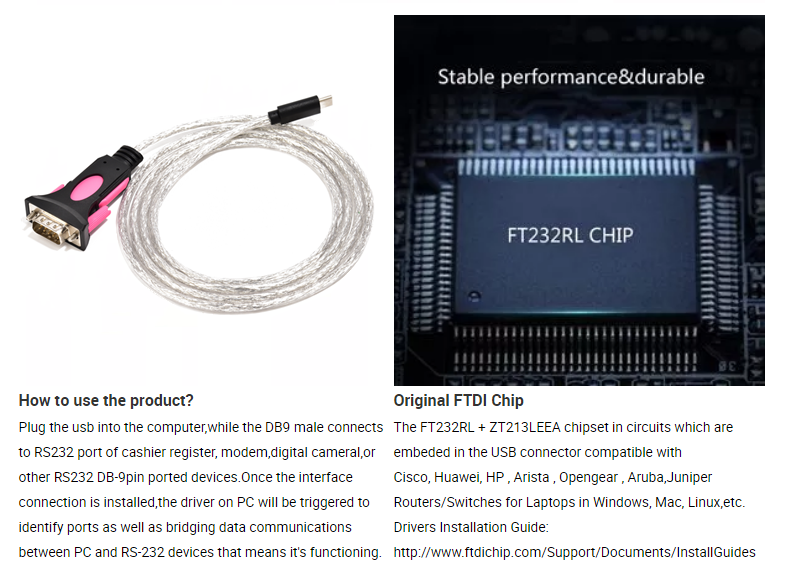
At the heart of this adapter lies the FTDI FT232R + ZT213 chipset. This powerful combination offers several advantages:
At the heart of this adapter lies the FTDI FT232R + ZT213 chipset. This powerful combination offers several advantages:
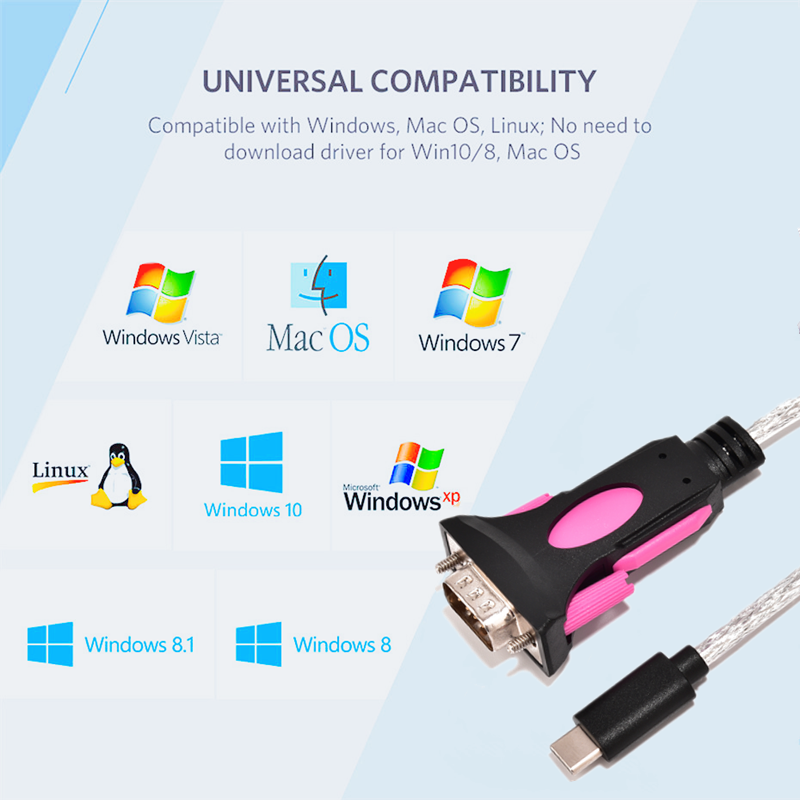
- Driver - Free Operation: It works seamlessly with Windows (10/8.1/8/7/Vista/XP), macOS, and Linux, thanks to pre - installed drivers on most operating systems.
- High - Speed Data Transfer: Supports baud rates up to an impressive 1Mbps, enabling fast and efficient data synchronization.
- Stability and Compatibility: The FTDI chip ensures reliable performance and broad compatibility with a wide range of devices.
Superior Connectivity and Durability
- USB - C Interface: Features a reversible Type - C male connector, allowing for easy and convenient plugging in either direction. It also supports Power Delivery (PD), providing up to 5V/3A of power to connected devices.
- DB9 Male Port: Connects directly to RS232 devices such as modems, routers, and PLCs, ensuring a secure and stable connection.
- Dual - Layer Shielding: Combines AL foil and braided mesh shielding to effectively reduce EMI/RFI interference, even in harsh electromagnetic environments.
- Robust Construction: The transparent PVC jacket and dual - color (Pink/Black) molded connectors not only look sleek but also offer resistance to wear and tear, making the adapter suitable for long - term use.
Versatile Applications
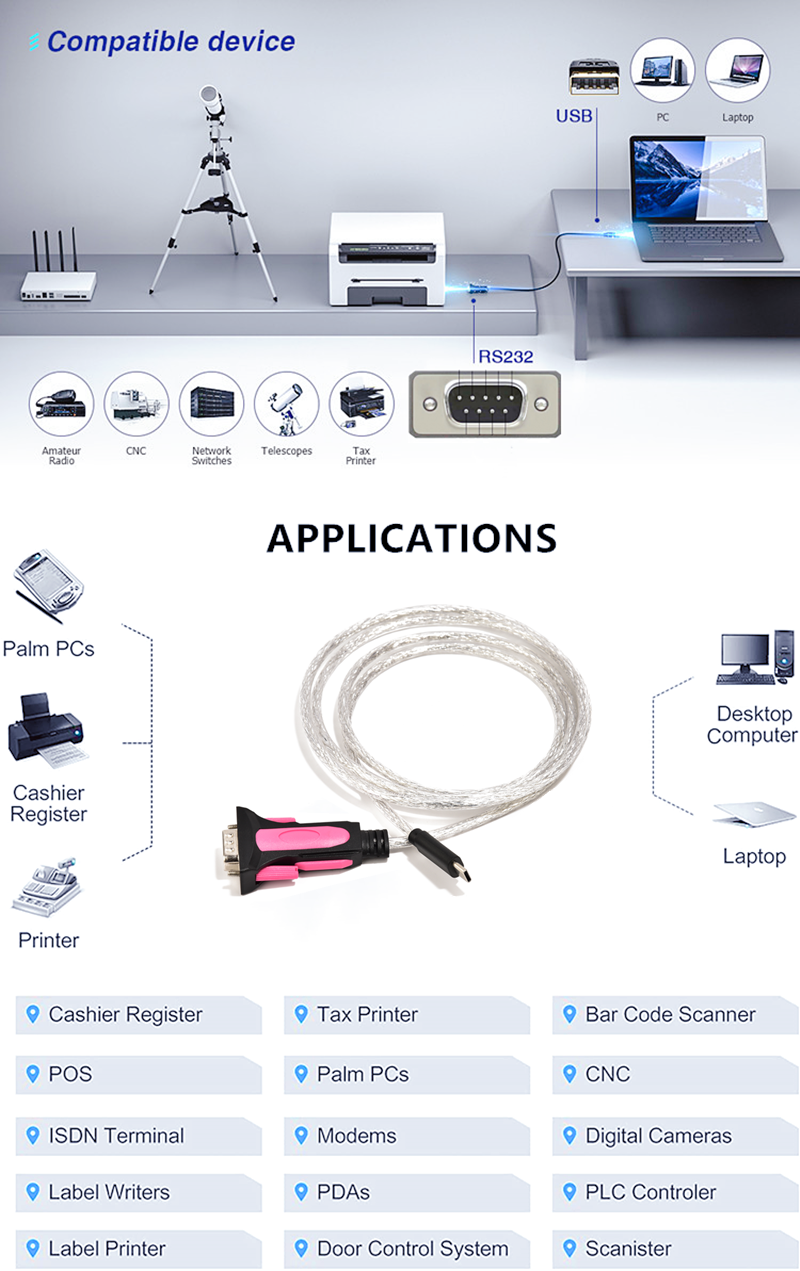
This adapter is widely used in numerous industries and applications:
This adapter is widely used in numerous industries and applications:
- Industrial Automation: Ideal for programming PLCs, connecting sensors, and integrating machinery.
- Telecommunications: Enables the configuration of routers, PBX systems, and modems.
- POS and Retail: Supports barcode scanners, label printers, and cash registers.
- Healthcare: Connects medical devices such as ECG machines and patient monitors.
- IoT and Embedded Systems: Facilitates the integration of IoT devices and embedded systems.
Technical Excellence
- Interface: USB - C Male to DB9 Male (RS232).
- Data Rate: Supports RS232 data rates from 300bps up to 1Mbps.
- Cable Length: Available in customizable lengths ranging from 0.5M to 40M, providing flexibility for different setups.
- Power Support: Draws power from the USB - C port, eliminating the need for an external power supply.
- Certifications: Complies with CE, FCC, and RoHS standards, ensuring safety and quality.
Why PINOWELL?
- Reliability: The FTDI chipset and dual - layer shielding ensure stable performance in mission - critical environments.
- Flexibility: Choose from multiple cable lengths and stylish colors to suit your needs.
- Support: Enjoy 24/7 technical assistance and access to firmware updates.
Upgrade Your Connectivity Today
Transform your USB-C ports into RS232 interfaces with the PINOWELL Adapter. Whether you're in a factory, a data center, or a retail store, this adapter provides the speed, security, and scalability you need.
Transform your USB-C ports into RS232 interfaces with the PINOWELL Adapter. Whether you're in a factory, a data center, or a retail store, this adapter provides the speed, security, and scalability you need.
How to Use the USB - C to RS232 Serial Adapter
Step 1: Check Compatibility
- Device Compatibility: Ensure that your target device (such as routers, GPS, barcode scanners, etc.) has a DB9 serial port. This adapter is designed to connect devices with a DB9 port to a device with a USB - C port.
- System Compatibility: Verify that your operating system (Windows 10/8.1/8/7/Vista/XP, MAC, or Linux) is supported. Since it's driver - free, it should work out - of - the - box on most modern systems, but it's always good to double - check.
Step 2: Prepare the Devices
- Target Device: Make sure the device with the DB9 port (e.g., a barcode scanner) is turned off before connecting the adapter. This helps prevent any potential electrical surges or damage during the connection process.
- USB - C Device: Ensure that your laptop, PC, or other USB - C enabled device has enough power and is functioning properly.
Step 3: Connect the Adapter
- USB - C End: Plug the Type - C male connector of the adapter into the USB - C port of your laptop, PC, or other USB - C enabled device. You should feel a snug fit.
- DB9 End: Connect the DB9 9 - pin male plug of the adapter to the DB9 serial port of your target device. Align the pins correctly and gently push the plug in until it is fully seated.
Step 4: Power On the Devices
- Target Device: Turn on the device with the DB9 port. Wait for it to boot up and initialize.
- USB - C Device: If your USB - C device was turned off during the connection process, turn it on as well.
Step 5: Configure the Serial Connection
- Serial Port Settings: On your USB - C device, open the serial communication software you plan to use (e.g., Tera Term for Windows, CoolTerm for Mac).
- COM Port Assignment: The adapter should be automatically recognized, and a COM port (on Windows) or a device path (on Linux or Mac) should be assigned. In the serial communication software, select the appropriate COM port or device path.
- Baud Rate and Other Settings: Set the baud rate, data bits, stop bits, and parity according to the requirements of your target device. The adapter supports a data transfer rate of up to 1Mbps, so you can choose the appropriate speed for your specific application.
Step 6: Test the Connection
- Send and Receive Data: Use the serial communication software to send test data to the target device and check if it responds correctly. For example, if you are connecting a barcode scanner, scan a barcode and see if the data is received correctly on your USB - C device.
Step 7: Troubleshooting
- Connection Issues: If the connection is not working, first check that both ends of the adapter are properly connected. Try re - plugging the adapter into the USB - C port and the DB9 port.
- Driver Issues: Although the adapter is driver - free, in some rare cases, you may need to update your operating system or check for any compatibility issues. Contact the manufacturer's support if the problem persists.
- Data Transfer Issues: If the data transfer is slow or inaccurate, double - check the baud rate and other serial port settings. Also, ensure that there is no interference or electrical noise affecting the connection.
Key Features and Their Usage
- Chipset (FTDI FT232R + ZT213): This chipset ensures reliable and fast operation. It enables the driver - free installation, which means you don't have to go through the hassle of installing additional software. Just plug in the adapter, and it should work right away.
- Shielding (AL Foil + Braided Shielding): The shielding helps reduce electromagnetic interference (EMI) and radio - frequency interference (RFI). This is especially important in environments where there are a lot of electronic devices. It ensures a stable and accurate data transfer between your USB - C device and the target device.
- Color Options (Pink/Black) and Transparent Jacket: While these are more aesthetic features, they allow you to choose an adapter that suits your personal style or the environment where you'll be using it. The transparent jacket also gives a modern and sleek look.
- Multiple Cable Lengths: You can choose a cable length that is appropriate for your setup. If your devices are close together, a shorter cable (e.g., 0.5M) may be sufficient. If they are farther apart, you can opt for a longer cable (up to 40M).
Keywords:USB-C to RS232 Adapter, FTDI FT232R Chip, DB9 Male Cable, Driver-Free, 1Mbps Data Rate, Dual-Shielded, Plug-and-Play, Windows/Mac/Linux Compatibility, CE/FCC/RoHS Certified, Industrial Serial Converter, Barcode Scanner Cable, Router Console Adapter