
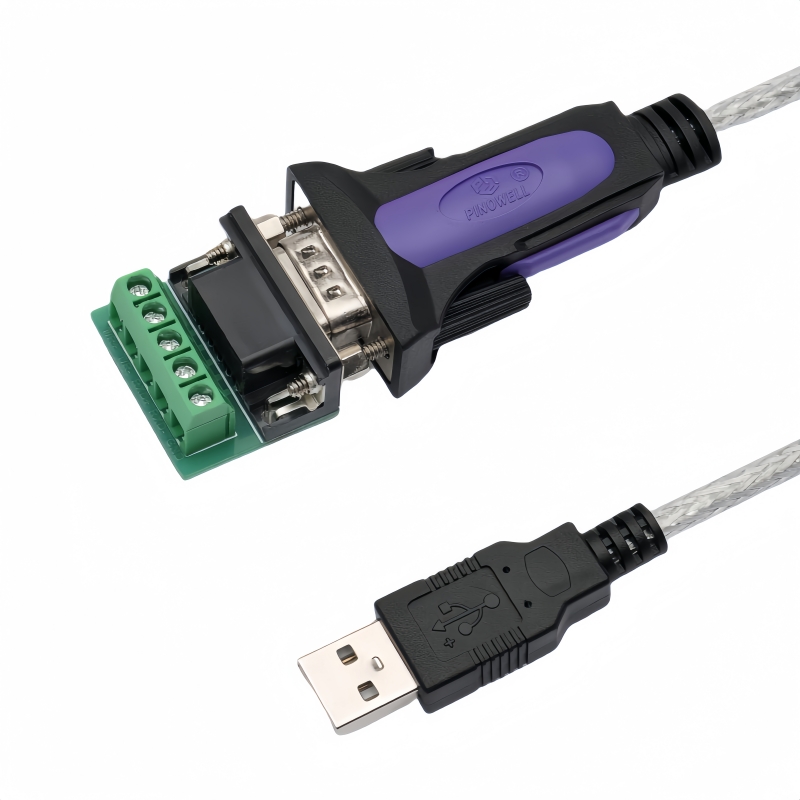
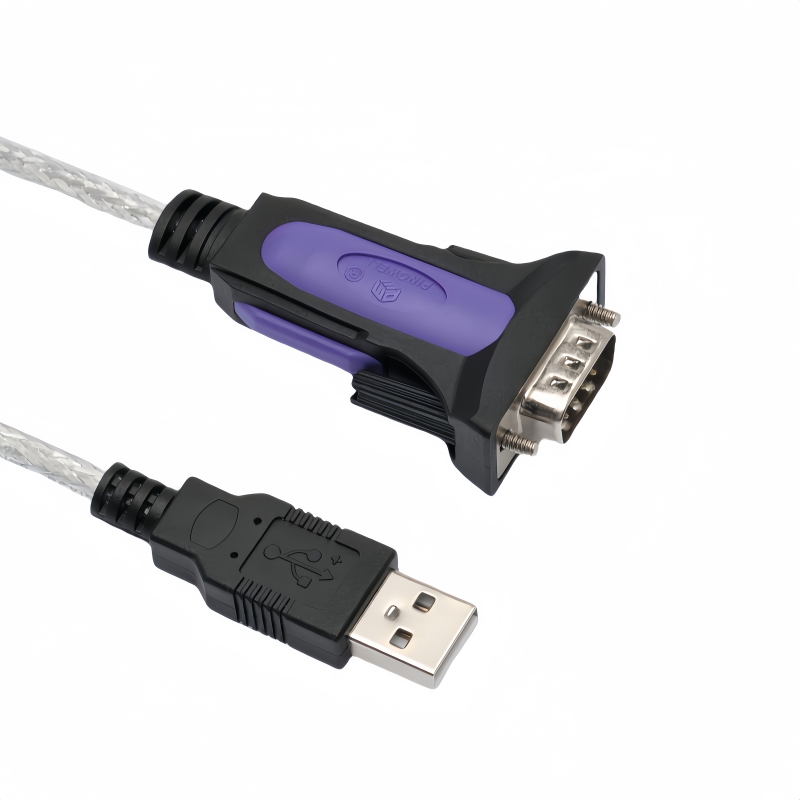
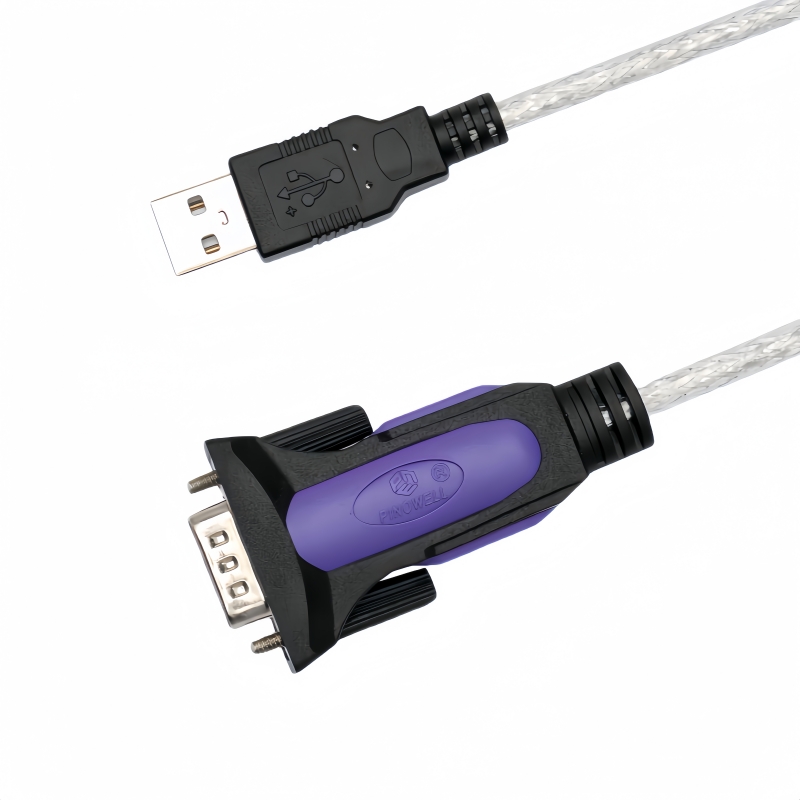
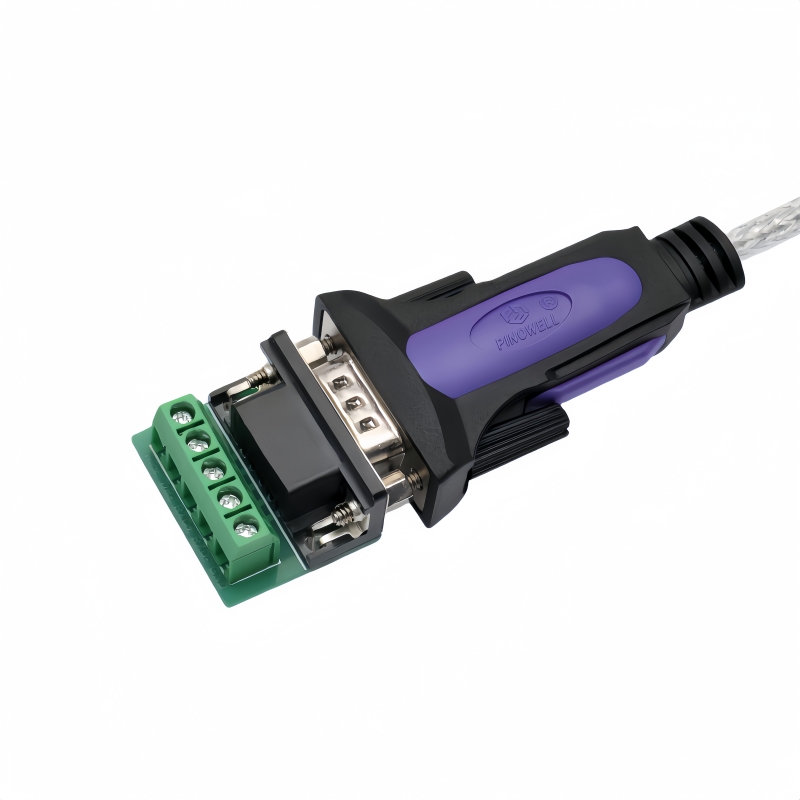
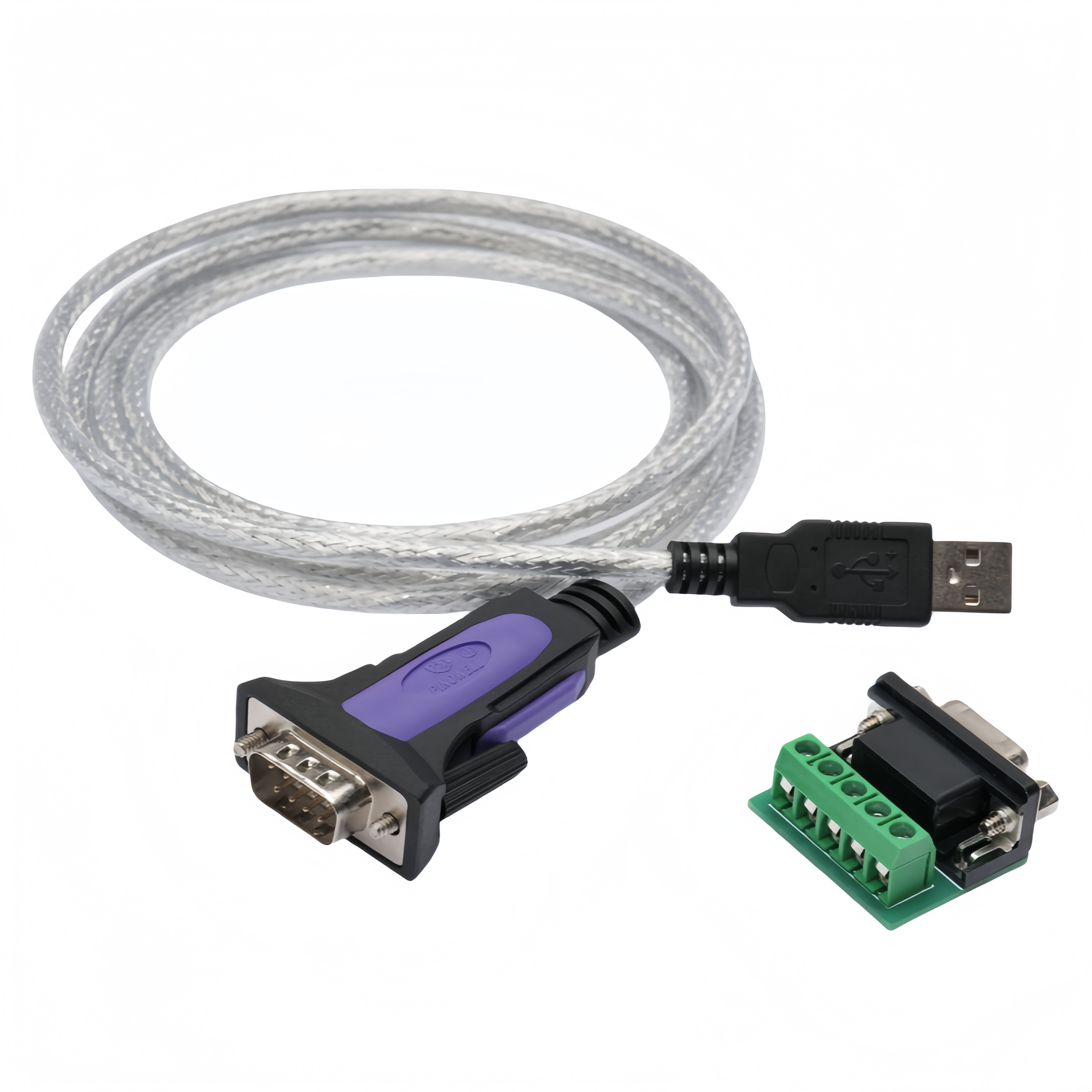
Easily link new computers to traditional RS-485/422 devices with this USB to RS485 422 Converter Cable. Dependable high-speed data transfer for crucial tasks. Elevate connectivity now!(Scroll down to see user guide)
Industrial-Grade USB to RS485/422 Converter Cable | FTDI FT232R+MX485 with Terminal Block Adapter
Future-Proof Serial Connectivity for Critical Infrastructure
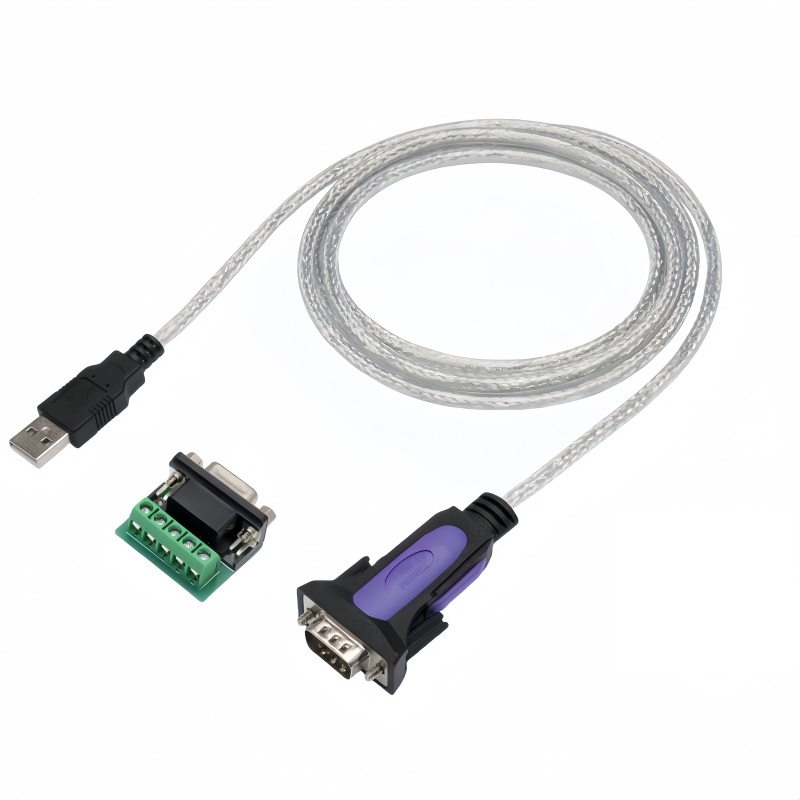
The PINOWELL USB to RS485/422 Converter Cable redefines industrial connectivity by merging FTDI’s advanced FT232RQ chipset with MX485 signal conditioning, enabling seamless integration of legacy RS-485/422 networks into modern USB ecosystems. Engineered for extreme environments, this adapter delivers mission-critical performance in automation, energy, and transportation sectors.
Cutting-Edge Technology
- Dual-Chip Architecture:
- FTDI FT232RQ: Ensures USB 2.0-to-RS-485/422 conversion with 921.6 Kbps throughput and driver-free operation on Windows 8+/macOS.
- MX485 Transceiver: Supports half-duplex (2-wire) and full-duplex (4-wire) modes, enabling point-to-point or multi-drop network configurations.
- 1200m Transmission Range: Maintains stable communication over long distances via differential signaling and shielded cabling.
Industrial-Grade Robustness
- Multi-Layer Protection:
- ±15kV ESD + 600W Surge Protection: Safeguards against electrostatic discharge and voltage spikes.
- -40°C to 85°C Operation: Withstands harsh temperature extremes in factories, railways, and outdoor installations.
- EMI Shielding: AL foil + braided mesh construction minimizes interference in high-noise environments.
Flexible Connectivity
- Dual Interface Design:
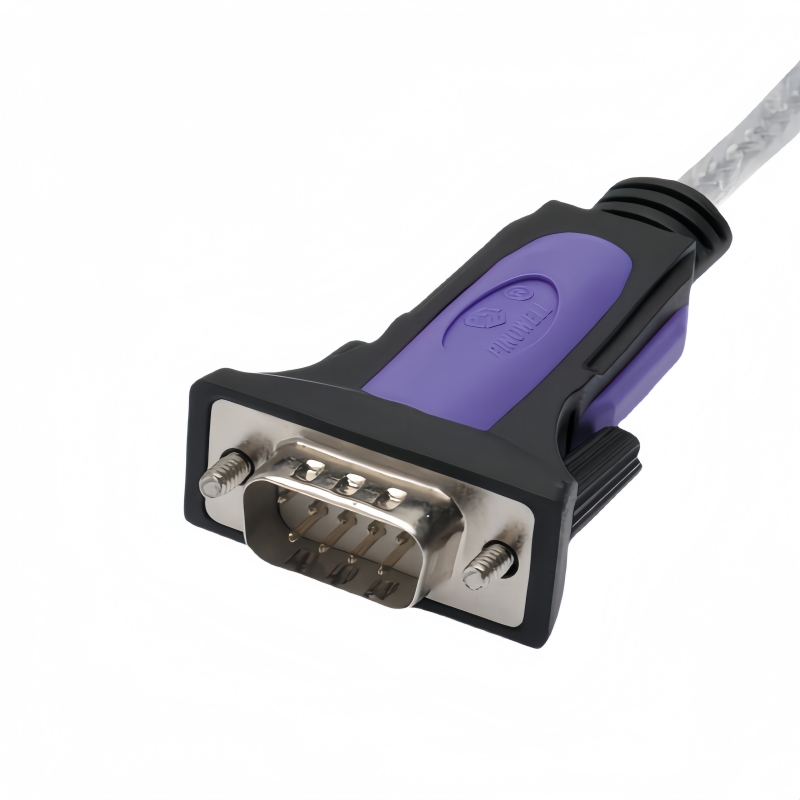
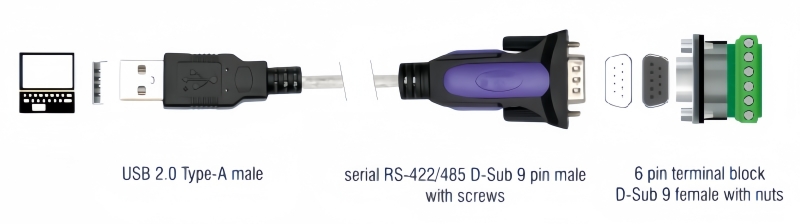
- DB9 Male Port: Directly connects to legacy RS-485/422 devices (e.g., PLCs, sensors).
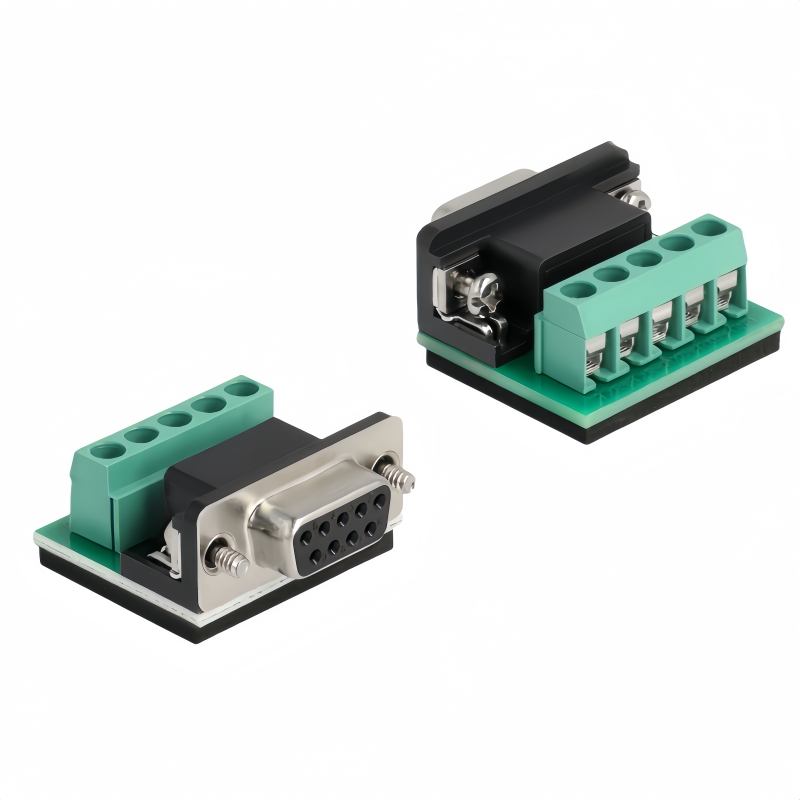
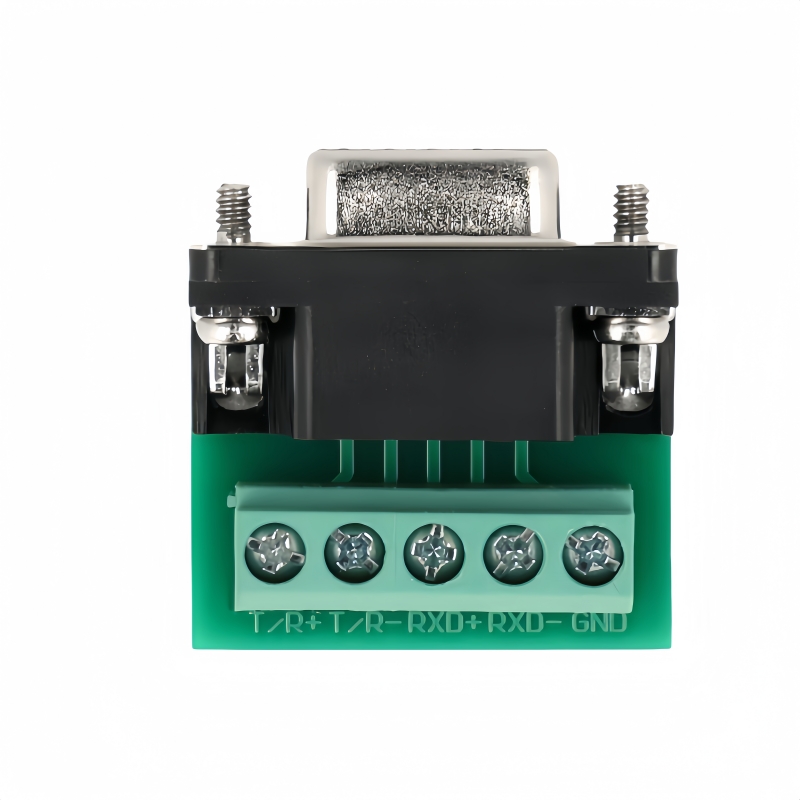
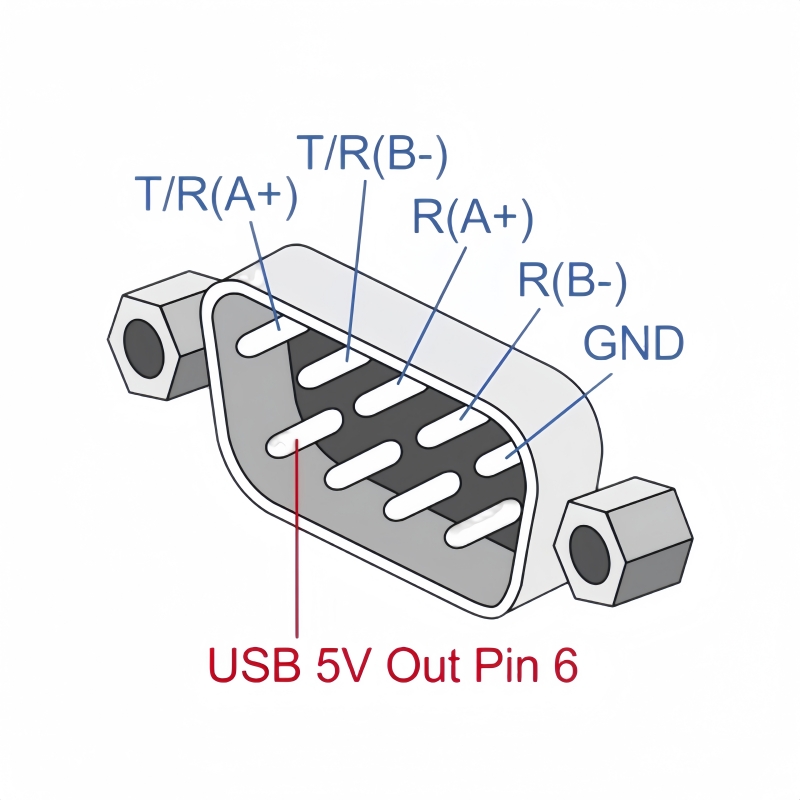
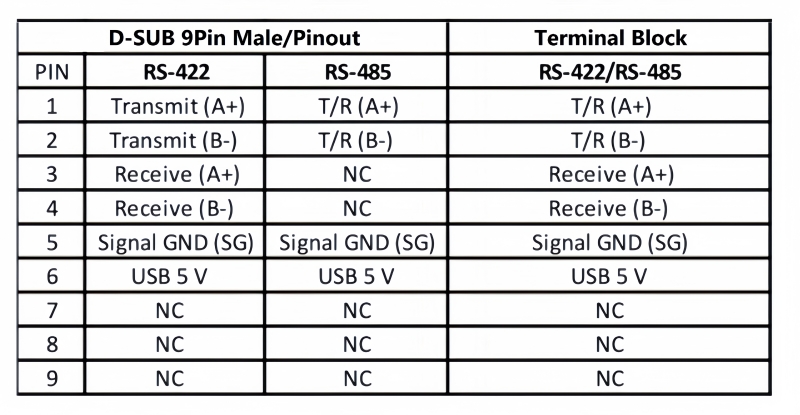
- 5-Pin Terminal Block: Supports screw-down wiring for industrial cabling (A+/B- for RS-485; TX+/TX-/RX+/RX- for RS-422).
- Modbus RTU Compatibility: Enables seamless integration with Modbus-based systems for automation and SCADA.
Plug-and-Play Efficiency
- OS Support:
- Windows 8/10/11/macOS: Auto-installs via Windows Update or macOS Plug-and-Play.
- Windows 7/XP/Linux: Manual drivers available via FTDI.
- Automatic Flow Control: Eliminates manual RTS/DTR configuration for hassle-free operation.
Technical Specifications
| Category | Details |
|---|---|
| Interface | USB 2.0 Type-A Male to DB9 Male + Terminal Block |
| Data Rate | Up to 921.6 Kbps |
| Voltage | USB-powered (5V DC) |
| Cable Length | 6FT/1.8M (custom lengths available) |
| Certifications | CE, FCC, RoHS |
Applications
- Industrial Automation:
- PLC programming, robotic arms, and conveyor systems.
- Energy Management:
- Solar inverters, smart meters, and battery management systems.
- Transportation:
- Railway signaling, vehicle diagnostics, and fleet management.
- Building IoT:
- HVAC control, elevator systems, and security panels.
Why PINOWELL?
- Reliability: Factory-tested for 10,000+ cycles and 24/7 operation.
- Global Compliance: Meets CE, FCC, and RoHS standards for worldwide deployment.
- Support: Free firmware updates and 24/7 technical assistance.
Future-Proof Your Infrastructure
The PINOWELL USB to RS485/422 Converter Cable ensures seamless coexistence of legacy and modern systems. Perfect for professionals demanding speed, security, and scalability in mission-critical environments.
The PINOWELL USB to RS485/422 Converter Cable ensures seamless coexistence of legacy and modern systems. Perfect for professionals demanding speed, security, and scalability in mission-critical environments.
How to Use the USB to RS485/422 Converter Cable
Step 1: Hardware Setup
-
USB Connection:
- Plug the USB Type-A Male connector into your computer, laptop, or USB hub.
- Ensure the cable is fully inserted for a secure connection.
-
RS485/422 Device Connection:
- DB9 Male Port:
- Connect to RS485/422 devices with DB9 ports (e.g., PLCs, sensors).
- Use a gender-changer adapter if needed (e.g., DB9 Female to Terminal Block).
- 5-Pin Terminal Block:
- Strip 0.5–1cm of insulation from the wires.
- Screw the wires into the terminal block:
- RS485: Connect A+ and B- to the respective terminals.
- RS422: Connect TX+, TX-, RX+, RX-, and GND.
- Shielding:
- Connect the cable’s shield wire to the GND terminal for EMI protection.
- DB9 Male Port:
Step 2: Driver Installation
- Plug-and-Play:
- Windows 8/10/11/macOS: Drivers auto-install via Windows Update or macOS Plug-and-Play.
- Linux: Drivers are pre-installed (check
/dev/ttyUSB0).
- Manual Driver Download:
- Windows 7/XP: Download FTDI VCP Driver from FTDI’s website.
- Linux: Install via command line:
bash
sudo apt-get install ftdi-eeprom
Step 3: Configure Serial Software
-
Choose a Terminal Emulator:
- Windows: PuTTY, Tera Term.
- macOS: CoolTerm, ZTerm.
- Linux: Minicom, Screen.
-
Set Serial Parameters:
- Baud Rate: Match your device’s settings (e.g., 9600, 115200).
- Data Bits: 8.
- Stop Bits: 1.
- Parity: None.
- Flow Control: None (auto-handled by the converter).
-
Select the COM Port:
- Windows: Check Device Manager > Ports (COM & LPT) (e.g.,
COM3). - macOS/Linux: Use the port path (e.g.,
/dev/ttyUSB0).
- Windows: Check Device Manager > Ports (COM & LPT) (e.g.,
Step 4: Test Communication
-
LED Indicators:
- Power LED (Green): Lights up when connected to USB.
- TX/RX LEDs (Blue): Flash when data is transmitted/received.
-
Send/Receive Data:
- Use Modbus RTU commands (e.g.,
01 03 00 00 00 02 C4 0B). - Verify responses from your RS485/422 device.
- Use Modbus RTU commands (e.g.,
Step 5: Troubleshooting
- No Signal:
- Re-seat all connections and check terminal block wiring.
- Test with a loopback plug (connect TX to RX on the converter).
- Driver Issues:
- Reinstall drivers for Windows 7/XP/Linux.
- On macOS, update via System Preferences > Software Update.
- Communication Errors:
- Reduce the baud rate or enable termination resistors (120Ω) for RS485 networks.
- Ensure proper grounding and shield continuity.
Key Features in Action
| Feature | Function |
|---|---|
| Dual-Chip Architecture | Enables 921.6 Kbps speeds and 1200m range |
| Terminal Block | Supports direct wiring for industrial cabling |
| ESD/Surge Protection | Protects against voltage spikes and static |
Safety Notes
- Power Off: Disconnect devices before modifying connections.
- Voltage Limits: The converter is USB-powered (5V DC). High-power devices may require external power.
- Temperature Range: Operate within -40°C to 85°C for optimal performance.
Keywords#USB to RS485/422 Converter, FTDI FT232RQ, MX485 Chipset, 921.6 Kbps, Industrial-Grade, ESD Surge Protection, Plug-and-Play, CE/FCC/RoHS, Modbus RTU, Terminal Block Adapter, 1200m Transmission, Full/Half-Duplex, EMI Shielding, PLC Programming, HVAC Control, Railway Signaling, Solar Inverter Integration,USB to RS485/422 Setup, FTDI FT232RQ Driver, Terminal Block Wiring, Modbus RTU, LED Activity Monitoring, 921.6 Kbps Baud Rate, Plug-and-Play, CE/FCC/RoHS Certified, Industrial Serial Converter, PLC Programming Guide, EMI Shielding Benefits, RS485 Network Troubleshooting, Linux Driver Installation, Windows 7 Manual Setup